
Introduction: Why Draw in 2D When You Can Build in 3D?
Hey there, creative minds! We’ve all been in that meeting where words and 2D sketches just aren’t enough to explain a vision. Whether you’re trying to describe a new product prototype or a complex spatial layout, sometimes our ideas need to “pop” off the page.
Enter the 3D pen. Often mistaken for a high-tech toy, the modern 3D printing pen is rapidly becoming a secret weapon for professionals who value rapid visualization and tactile problem-solving. It’s like a handheld 3D printer that follows your lead—no complex CAD software required. Today, we’re diving into how this tool can lower your stress, fix your tech, and why picking a 3D pen for kids might actually be a brilliant safety move for your office.
1. Why the 3D Printing Pen is the New Must-Have Office Gadget
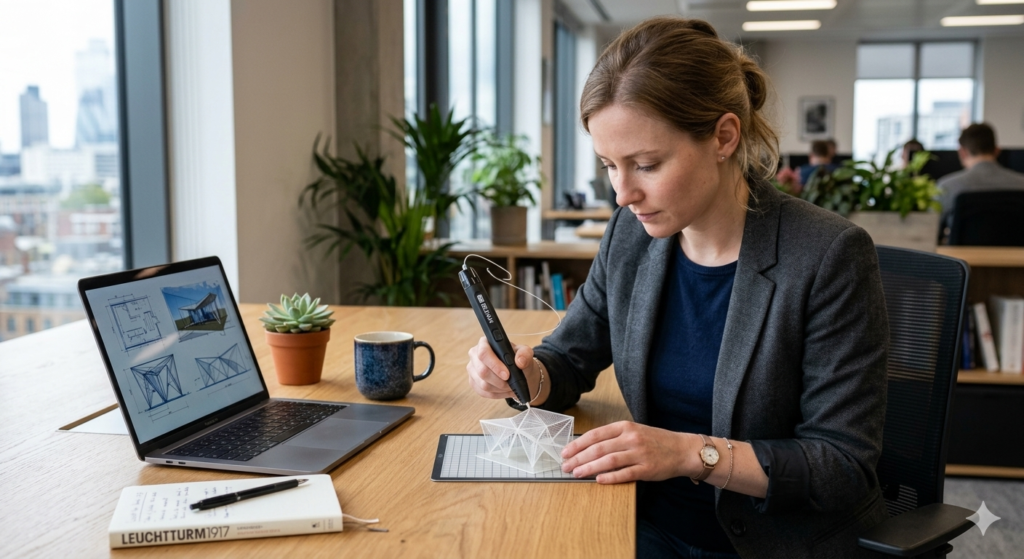
In an increasingly digital workspace, the 3D printing pen offers a much-needed return to “Haptic Thinking”—the process of solving problems through touch and physical creation.
- The Stress-Relief Science: According to a study in the Journal of Occupational Health Psychology, engaging in just 15 minutes of creative manual activity can lower cortisol (stress hormone) levels by up to 25%.
- Real-World Case: Kevin, a software architect, uses his pen during long conference calls. “Pulling a 3D shape into existence helps rewire my brain when I’m stuck in a coding loop,” he shares. “It’s the ultimate mindful break.”
- Rapid Prototyping: For designers and project managers, being able to build a low-fidelity mockup in 5 minutes is a massive productivity boost compared to waiting 3 hours for a traditional 3D printer to warm up.
2. Choosing Your Instrument: Professional Models vs. the 3D Pen for Kids
When shopping for your office, the biggest decision isn’t the color of the pen, but the “thermal physics” behind it.
High-Heat Pro Pens: Speed and Versatility
Professional models usually operate between 190°C and 210°C. They primarily use PLA (a biodegradable plastic made from corn starch).
- Pros: The plastic solidifies in 3–5 seconds, allowing you to literally “draw” lines upwards into the air.
- Office Vibe: PLA emits a slightly sweet, popcorn-like scent that is non-toxic and generally pleasant in open-plan offices.
Low-Heat Safety: Why a 3D Pen for Kids Might Suit Your Desk
If you work in a high-traffic area or are worried about accidental burns, a 3D pen for kids is a fantastic entry point. These pens operate at a much cooler 50°C–60°C.
- The Material: They use PCL, a plastic with a much lower melting point. While it takes longer to harden (15–20 seconds), the nozzle is safe to touch, making it a worry-free tool for a busy desk.
3. Master the Craft: A Step-by-Step Guide on How to Use a 3D Pen
Mastering the 3D pen is simpler than learning a new software shortcut. If you can use a hot glue gun, you’re already halfway there.
The Foundation: Getting Your First Layer to Stick
- Prep the Surface: Always use a silicone mat or a piece of masking tape on your desk to protect the finish.
- The Anchor: Push the nozzle firmly against the surface, extrude a small “blob,” and wait 1 second before moving. This creates the “anchor” for your 3D structure.
- Steady Speed: Move the pen at a consistent pace. If you move too fast, the plastic “thread” will snap; too slow, and it will clump.
The “Office Fix” Hack: Repairing Cables
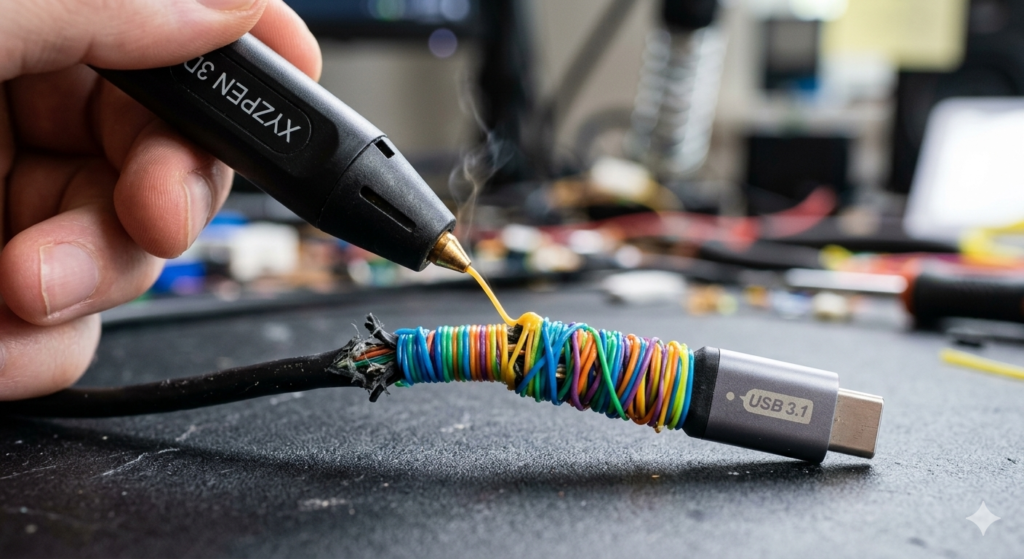
This is where the pen pays for itself. To fix a frayed USB cable:
- Clean the area with rubbing alcohol.
- Apply the plastic in a spiral motion around the break.
- While the plastic is still warm (about 10 seconds after extruding), gently press it with a damp finger to smooth out the edges. This $0.05 repair can save a $20 charging cable.
4. Office Safety & Maintenance: Keeping Your Workspace Clean
To ensure your 3D pen remains a tool and not a clutter-maker:
- The Unload Rule: Always remove the filament when you’re done for the day. Leaving plastic inside can lead to clogs that are a nightmare to clear.
- Clean Snipping: Before inserting a new strand of plastic, snip the end to be perfectly flat. This prevents jams in the internal motor.
- Storage: Use a dedicated pen stand. A hot nozzle rolling onto your keyboard is a mistake you only want to make once!
5. Pro-Level FAQ: Integrating 3D Creation into Your Workflow
Q: How to use a 3d pen for the first time without making a mess? A: Start in 2D! Trace a 2D stencil on paper (like a logo or a gear). Once it cools, peel it off. Once you have a few 2D shapes, use the pen like “plastic solder” to join them together into a 3D object.
Q: Is the smell distracting? A: Stick to PLA. Unlike ABS (which smells like burning tires), PLA is very office-friendly. Most colleagues will just think someone is making a healthy snack in the breakroom!
Q: What is the best 3d pen for kids and adults to share? A: Look for a “dual-mode” pen that can switch between high and low temperatures. It gives you the professional speed of PLA but can be turned down for safe fun with the family.
Conclusion: A New Dimension for Your Ideas
The 3D pen is more than just a gadget; it’s a bridge between your 2D thoughts and 3D reality. Whether you are using a professional-grade 3D printing pen to build architectural models or a safer 3D pen for kids to fix a broken desk toy, you are investing in a tool that encourages play, precision, and productivity.
My gentle advice? Buy a small starter kit and keep it near your “brainstorming” area. The next time you hit a mental block, stop typing and start drawing—upwards. You’ll be amazed at how quickly your perspective changes.