
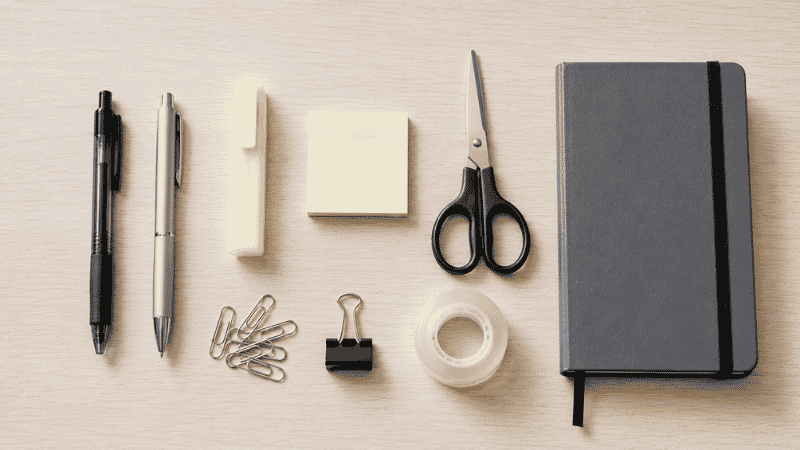
At some point in the last year, you probably bought an office supply you didn’t need.
Maybe it was a set of highlighters in six colors when you only ever use yellow. A label maker that seemed essential until you realized you’d labeled three things and run out of enthusiasm. A stapler that felt like an upgrade until you noticed you’d stapled maybe four documents since you started working from home.
Office supplies have a way of multiplying. You buy something once with good intentions, it goes into a drawer, and now you have a drawer full of things you might use someday. Meanwhile, you’re out of the one pen that actually writes well, and you keep running to the kitchen to find a pair of scissors.
This office supplies list is built around a different approach: what do you actually use, daily or weekly, in a home office? Not what sounds useful. Not what comes in a satisfying starter kit. What earns a permanent spot on or near your desk because you reach for it regularly.
There’s also a section on what to skip — the supplies that seem like good ideas but rarely earn their drawer space in a home office context.
— Daniel Shaw, 7 years working from home, one very overstuffed supply drawer before I finally audited it
Key Takeaways
- Most home office workers need far fewer supplies than a typical office supply checklist suggests — the list was designed for corporate offices, not individual WFH setups
- The essential office supplies list for a home office fits in one desk drawer and one small tray — anything beyond that is probably excess
- Buying in bulk only makes sense for supplies you genuinely consume regularly — otherwise you’re just pre-loading your clutter
- The “might need it someday” supplies are the main driver of overstuffed drawers — they go in, they never come out
- Organization matters as much as quantity: 10 well-organized supplies outperform 40 scattered ones every time
How to Build Your Office Supplies List (Before You Buy Anything)
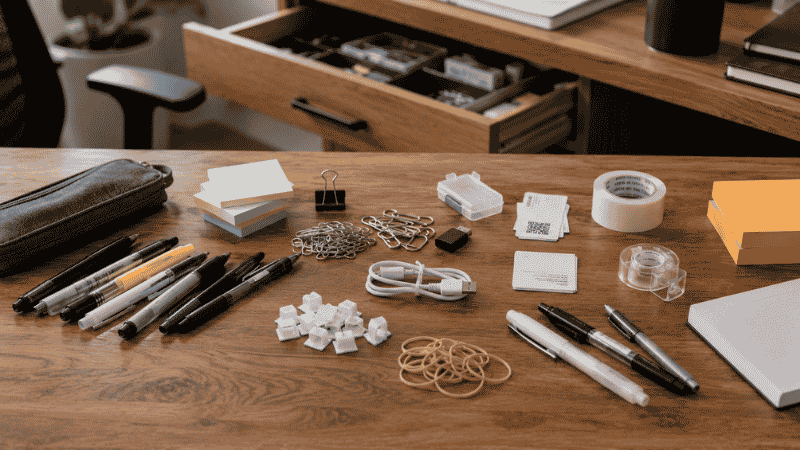
The most useful thing you can do before restocking office supplies is spend five minutes with your current drawer. Pull everything out. Sort it into three piles: uses it weekly, used it once, never used it.
Most people find the “never used it” pile is larger than expected. The label maker. The correction tape for a printer era that’s mostly passed. The set of rubber bands that came free with something. The four-color ballpoint pen that seemed clever.
Your actual office supplies list should come from the “uses it weekly” pile — those items, restocked and organized. The other two piles can mostly go in the bin or stay in one backup location, not taking up prime drawer space.
Once you know what you actually use, buying more of it becomes straightforward. Until then, any supplies list is just someone else’s guess about what your work requires.
Essential Office Supplies: The Core List for a Home Office
This is the list that covers the vast majority of daily home office needs. Not every item applies to every person — use this as a starting audit, not a shopping cart.
Writing Tools
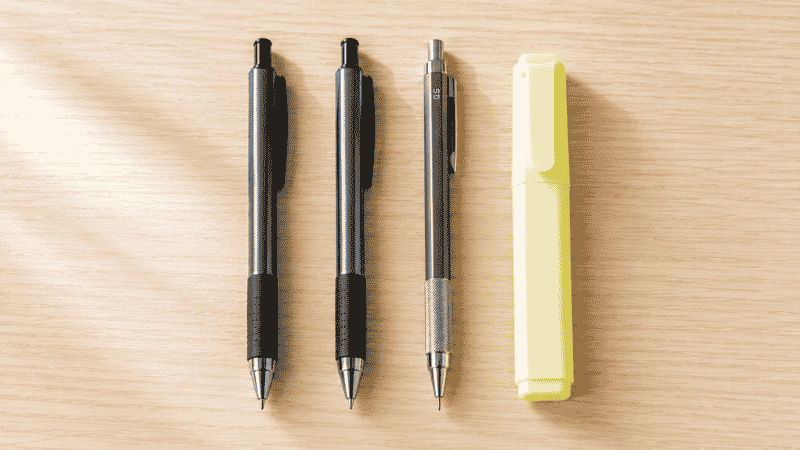
One good pen is worth ten mediocre ones. Seriously. If you’re constantly picking up pens that skip, drag, or run dry, the problem isn’t that you need more pens — it’s that you need fewer, better ones.
For most home office workers, the pen situation is: two or three pens of one type you actually like, plus a pencil if you work with paper. That’s it. Not a cup of fifteen writing instruments, most of which don’t work reliably.
- Ballpoint pens — 2 to 3, one type you’ve used before and like
- Fine-tip marker or felt-tip pen — for labeling, signing, anything that needs to stand out
- Mechanical pencil — more consistent than wooden pencils, no sharpening
- Highlighters — one or two colors maximum; yellow covers 90% of use cases
- Correction fluid or tape — if you work with physical forms or handwritten documents
Editor’s note: The “nice pen” is worth it. If you write by hand regularly, one pen that feels good in your hand makes the entire experience better. It’s one of the highest-return small purchases in a home office.
Paper and Notebooks
Paper consumption varies enormously by work type. Some people go through reams. Others barely print anything in a month. Before stocking up, know which one you are.
- Printer paper — one ream to start; restock when you’re halfway through the current one
- Sticky notes — one pad in a size you actually use; medium (3×3) is the most versatile
- A notebook — one at a time, the one you’re currently using; not six backups
- Index cards — if you use them for notes, planning, or reference; skip if you don’t
Sticky notes deserve a specific mention because they’re one of the most commonly over-purchased supplies. People buy multi-packs in four colors, use the yellow ones, and let the rest sit. If you use sticky notes regularly, one color in quantity is more practical than variety packs.
Fastening and Filing
If you work with physical paper regularly, these earn their place. If you’ve gone mostly digital, the list gets short fast.
- Stapler — one that actually works; a stapler that jams on the second page is worse than no stapler
- Staples — one box, the size that fits your stapler (measure before buying)
- Paper clips — a small box; standard size handles most documents
- Binder clips — small and medium; useful for holding thicker document stacks
- Rubber bands — a handful, stored somewhere contained so they don’t end up everywhere
- Hole punch — if you use binders; skip if you don’t
Cutting and Adhesive
- Scissors — one pair that lives in a specific spot and goes back there
- Tape — one roll of clear tape; most home offices don’t need more than this
- Tape dispenser — optional but makes tape far less annoying to use
- Glue stick — if you ever mount or attach things; most home offices don’t need it
Organization Supplies
- Folder or document sleeve — for current active projects; physical paper needs a temporary home
- Hanging file folders — if you have a filing drawer or cabinet
- Labels — a small pack; for filing, cable management, drawer organization
- Rubber stamp and ink pad — only if your work requires it; otherwise skip
Must Have Office Supplies vs. Nice to Have: Drawing the Line
This is the part most office supply lists skip entirely. They tell you everything you might want without helping you decide what you actually need. Here’s a framework:
Must have: You’ve reached for it in the last two weeks and been frustrated it wasn’t there. You use it at least weekly. Without it, something about your work becomes harder or slower.
Nice to have: It would occasionally be useful. You could also walk to another room, use a digital alternative, or just manage without it.
Don’t need it: It’s solving a problem you don’t actually have. It seemed useful in the store or online listing. You can’t immediately name three times you’d use it in the next month.
Apply this filter before buying anything, and apply it to everything already in your drawer. Most people find their actual must-have list is surprisingly short — which means the supplies they do need can be better quality, better organized, and actually findable when needed.
Office Supplies to Skip for a Home Office
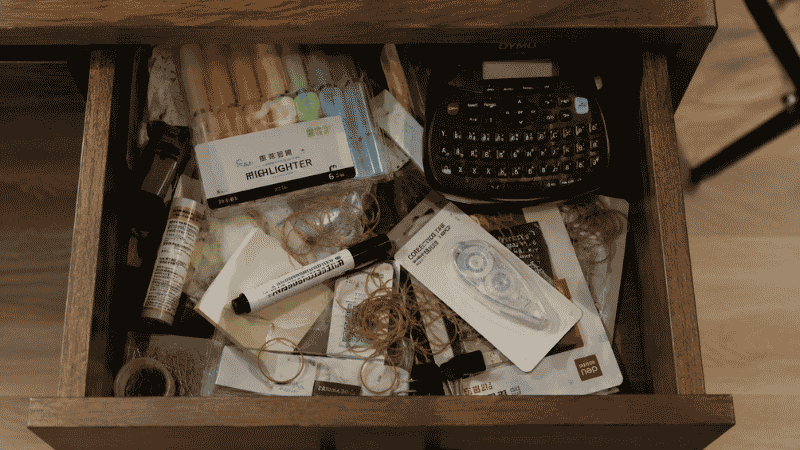
This section might be more useful than the list above. These are the supplies that look practical but rarely earn their place in a solo home office setup.
Label maker. Sounds endlessly useful. In practice, most people label ten things enthusiastically in week one and never touch it again. Handwritten labels on masking tape do the same job for 95% of use cases. If you label things constantly and regularly, get one. Otherwise, skip it.
Whiteboard. Genuinely useful in shared office environments where multiple people need to see the same information. In a solo home office, a notepad or sticky note on the monitor frame does the same job without requiring wall space and a cleaning routine.
Desk calendar. If your work is managed digitally, a desk calendar is visual noise that also requires manual updating. If you prefer physical scheduling, a planner you actually write in is more useful than a large flat calendar that takes up desk real estate.
Printer ink in bulk. Unless you print constantly and know your printer’s actual consumption rate, buying ink in bulk usually means buying cartridges that dry out before you use them. Buy one set ahead, not five.
Excess highlighters. One color, maybe two. The rest sit in the drawer indefinitely.
Business card holder. If you work from home and rarely meet people in person, your business card throughput is probably near zero. Digital contact sharing has replaced most of the function.
How to Organize Office Supplies So You Can Actually Find Things
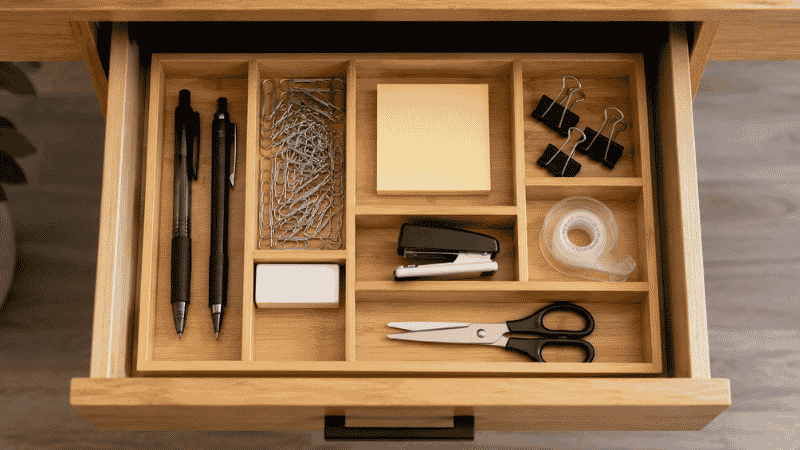
Buying the right supplies is half the equation. Storing them so they’re accessible when you need them is the other half — and it’s where most people’s systems break down.
The principle: supplies you use daily belong on the desk surface or in the top drawer within one motion of your hand. Supplies you use occasionally belong in a drawer, organized by category. Supplies you use rarely belong in a supply box or cabinet somewhere accessible but not prime real estate.
A few specific things that make a real difference:
- One pen spot, one pen. Not a cup of twelve. One spot, one or two pens you actually like. When they run out, replace them. This sounds extreme and is immediately practical.
- Drawer compartments. An inexpensive drawer organizer insert assigns each category of small supply its own section. Paper clips don’t mix with binder clips don’t mix with rubber bands. Finding things takes seconds instead of minutes.
- A “restock” system. When you open the last pack of something, add it to a running list (phone note, sticky note, whatever you check when ordering). Don’t wait until you’re completely out.
- One backup rule. One backup pack of whatever you use regularly. Not five. One. When you open the backup, that’s the trigger to reorder.
→ More on building a desk organization system that actually holds up.
The Office Supplies Checklist: What to Stock and What to Skip
Use this as your audit tool. Go through each category and mark: have it and use it, have it but don’t use it, or don’t have it and might need it.
Writing tools (keep minimal):
- ☐ 2–3 pens, one type you like
- ☐ 1 fine-tip marker
- ☐ 1 mechanical pencil
- ☐ 1–2 highlighters
Paper supplies (based on actual usage):
- ☐ Printer paper — if you print
- ☐ Sticky notes — one pad, one size
- ☐ One active notebook
Fastening (only if you work with paper):
- ☐ Stapler that works
- ☐ Staples (matching size)
- ☐ Paper clips
- ☐ Binder clips (small and medium)
Cutting and adhesive:
- ☐ Scissors — one pair, specific location
- ☐ Clear tape — one roll
Filing and organization:
- ☐ Active project folder
- ☐ Hanging files — if you have a filing drawer
- ☐ Labels — small pack
If You Only Have 10 Minutes to Sort Out Your Supplies Right Now
Open your desk drawer. Pull everything out. In ten minutes, do this:
- Test every pen and marker. Throw away anything that doesn’t write immediately. Don’t keep “might work with effort” pens.
- Throw away or relocate anything you haven’t touched in three months. It doesn’t belong in your primary drawer.
- Put back only what you actually use. Everything else goes in a secondary location or the bin.
That’s it. You don’t need to buy anything, reorganize anything, or set up a new system. Just remove what isn’t earning its space. The drawer will be more useful after ten minutes than it was before, without any purchases.
Frequently Asked Questions
What office supplies do I need for a home office?
The core list is shorter than most guides suggest: a pen or two that you like, sticky notes, a notebook, scissors, tape, and paper clips. Beyond that, it depends entirely on your work. If you print frequently, add printer paper and a functioning stapler. If you file physical documents, add folders and hanging files. The test: have you actually reached for it in the last two weeks? If not, it’s probably not essential for your specific work.
What should be on an office supplies checklist?
A useful checklist covers writing tools (pens, pencils, highlighters), paper products (printer paper, sticky notes, notebooks), fastening supplies (stapler, paper clips, binder clips), cutting and adhesive tools (scissors, tape), and filing supplies (folders, labels). The key is tailoring this to your actual workflow — a checklist designed for a corporate office will include dozens of items that a solo home office worker will never touch.
How do I organize office supplies in a home office?
Daily-use supplies belong within one motion of your hand — on the desk surface or in the top drawer. A drawer organizer insert keeps small items in assigned sections so nothing migrates. Occasional-use supplies go in a secondary drawer or supply box. The one-backup rule — keep one backup of consumables you use regularly, reorder when you open it — prevents both running out and over-stockpiling.
How many office supplies do I actually need?
Less than you think. Most solo home office workers operate efficiently with one good pen, one notebook, one pad of sticky notes, scissors, tape, paper clips, and a stapler. Everything else is situational. The problem isn’t usually having too few supplies — it’s having too many of the wrong ones and not enough of the right ones in the right place.
What office supplies are a waste of money for home offices?
Label makers (unless you label things constantly), whiteboards (a notepad does the same job for solo use), bulk ink cartridges (they dry out before you use them unless you print heavily), excess highlighters (one or two colors cover everything), and desk calendars (redundant if you manage your schedule digitally). These aren’t useless in every context — but in most solo home office setups, they create clutter rather than solving problems.
The Right Supplies, In the Right Place
A good office supplies list for a home office isn’t long. It’s accurate. It reflects what you actually do in your actual workday, not what a corporate purchasing guide recommends or what looks satisfying in a desk setup photo.
Start with the audit. Know what you use. Stock those things well. Organize them so they’re findable in under three seconds. And stop buying supplies that solve problems you don’t have.
The desk gets cleaner, the drawer gets useful, and you stop wasting ten minutes a week looking for the scissors.
More from WorkDeskLab:
- Desk Organization Ideas That Actually Stick
- Under Desk Storage — How to Reclaim the Space You’re Wasting
- How to Set Up a Home Office That Actually Works
- Desk Cable Management — Hide Every Wire Without Drilling
References: American Psychological Association — “Clutter and Procrastination: How Disorganization Affects Focus and Decision-Making” (apa.org) · Princeton University Neuroscience Institute — “Visual Cortex and Environmental Clutter” (Journal of Neuroscience, 2011)