
If you’re still typing on the “mushy” membrane keyboard that came bundled with your PC—or worse, a cramped laptop deck—you’re likely fighting a constant stream of friction. We’ve all been there: it’s 3:00 PM, you’re six hours into a deep-work session on a dual-monitor setup, and your fingers start to feel “heavy.” Every time a key fails to register or you have to “bottom out” with excessive force just to ensure a character appears on your 27-inch 4K screen, your brain performs a micro-correction.
Over a long shift, those micro-corrections turn into finger fatigue, increased typos, and a fractured flow state. Moving to a mechanical keyboard isn’t just about the “aesthetic” of a desk setup; it’s a tactical decision to optimize the primary interface between your brain and your work. But the board is just the shell—the real engine is the switch underneath.
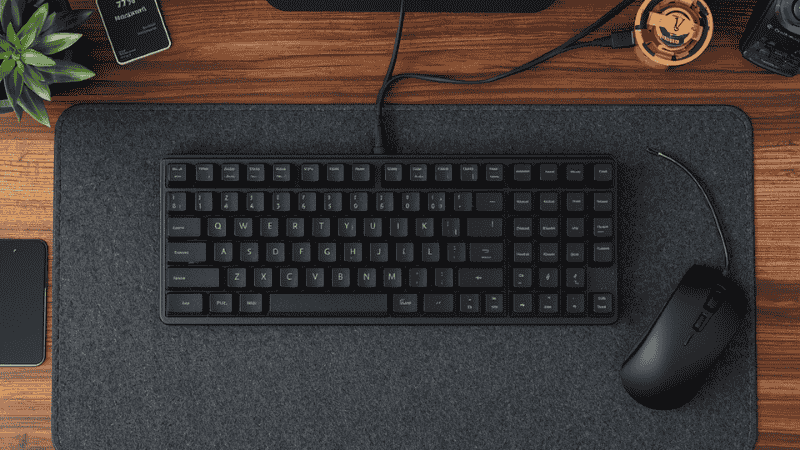
The Three Pillars of Switches: An Office-Safe Reality Check
The mechanical keyboard world is obsessed with “Linear, Tactile, and Clicky.” But for a professional workspace, you need to filter this through the lens of “Acoustic Etiquette.”
- Linear (The Smooth Path): These have a consistent travel from top to bottom. No bump, no click. They are the quietest option and prized by people who type with a heavy hand because there’s nothing to “trip” your finger on the way down.
- Tactile (The Feedback Loop): These provide a physical “bump” you can feel midway through the press. This is the holy grail for productivity because it tells your brain the key registered before you hit the bottom of the board. It lets you “float” across the keys.
- Clicky (The Distraction): These have a loud, high-pitched “snap.” Unless you work in a soundproof room and never take Zoom calls, stay away. They are the fastest way to annoy your housemates or sound like a 1920s telegraph operator on a meeting.
Setup Logic: Matching Your Switch to Your Output
I’ve found that the “best” switch depends entirely on what your specific 9-to-5 actually looks like. Pairing your choice with the best ergonomic desk accessories can further reduce strain.
The “Deep Work” Writer or Coder
If you spend your day drafting 3,000-word reports or thousands of lines of code, finger fatigue is the enemy. On a standard 60-inch desk where you have plenty of room to “spread out,” a Light Tactile switch (around 45g) is ideal. It gives you the feedback you need to stay accurate without requiring the finger strength of a rock climber.
The “Meeting-Heavy” Manager
If your day is 70% Slack and 30% Video Calls, your keyboard needs to be “invisible.” You need a Silent Linear or Silent Tactile. These use internal rubber dampeners to kill the “clack” so you can take notes during a call without the dreaded “Who is typing?” comment.
Real-World Logic: Where the Switch Actually Matters
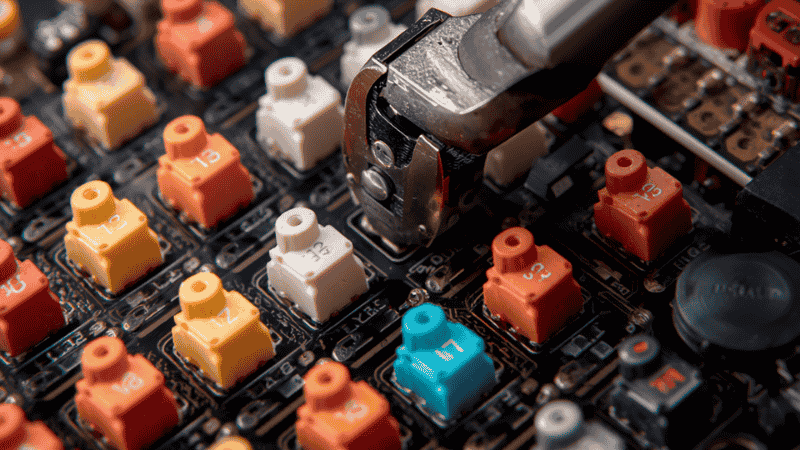
Example A: The “Accidental Typer”
I worked with a developer, Sarah, who found that by 4:00 PM, her hands felt bruised. She was using “Speed” switches (very light, very short travel). Because they were so sensitive, she was constantly making typos just by resting her fingers on the home row.
- The Fix: We swapped her board for Heavy Linear switches (65g+ actuation).
- The Result: The extra resistance acted like a “cushion.” It forced her to be more intentional with her keystrokes, and the joint pain vanished because the switches were finally tuned to her natural, heavy-handed typing style.
Example B: The “Laptop-to-Desktop” Transition
A designer friend was struggling to use a full-sized mechanical keyboard after years on a MacBook. The “tall” keys felt like a mountain range she couldn’t navigate, causing her WPM to drop significantly.
- The Fix: A Low-Profile Tactile switch (like those in the NuPhy or Logitech MX Mechanical).
- The Result: She got the mechanical feedback she wanted but kept the “flat” ergonomics she was used to. Her typing speed recovered in 48 hours because the physical “travel distance” matched her muscle memory.
Conversion Layer: The 2026 Mechanical Keyboard Recommendations
| Category | Recommended Setup | Why It Wins |
| Best Overall Setup | 75% Hot-Swap Board + Pre-Lubed Tactiles | The perfect balance of space-saving and “buttery” typing feel for 8-hour shifts. |
| Best for Remote Work | Full-Size Silent Tactiles + Felt Desk Mat | Maximum utility with “stealth” acoustics that won’t bleed into your Zoom mic. |
| Best Budget Setup | Tenkeyless (TKL) + Gateron Yellows (Linear) | High-end smoothness at a fraction of the cost; the best ROI for beginners. |
Comparison: Performance vs. Daily Comfort
| Switch Type | Average Price | Desk Space | Comfort Level | Productivity Impact |
| Tactile | $$ | Moderate | High (Feedback) | High (Accuracy) |
| Silent Linear | $$$ | Moderate | High (Smooth) | High (Focus) |
| Low-Profile | $$ | Low (Slim) | High (Ergo) | Moderate |
| Clicky | $ | Moderate | Low (Fatiguing) | L |
What Most Desk Setup Guides Get Wrong
Most “productivity” influencers show you a $500 custom board that sounds like raindrops on a tin roof. Here is the reality they ignore:
- The Maintenance Lie: Custom boards require “relubing” every year. For a pro, you want factory-lubed switches that stay smooth without the 5-hour DIY project.
- Sound vs. Feel: A keyboard might sound “thocky” on video but feel like mush in real life. Prioritize tactile feedback over acoustic trends if you actually type for a living.
- The Numpad Paradox: Guides say “go small,” but if you work in Excel, you need a numpad. Use a 96% layout or a separate 3D-printed numpad to save space without losing function.
FAQ: Mastering Your Switch Choice
What is “Lubing” and do I need to do it? Lubing is applying grease to internal parts. It removes the “scratchy” feeling. Pro Tip: Don’t do it yourself. Buy “Factory Lubed” switches. It provides 90% of the benefit for 0% of the effort.
Which switches are the quietest? Look for “Silent” in the name. These have internal rubber bumpers. Regular Linears are quiet, but Silent Tactiles are the only ones safe for a shared cubicle or a quiet home office.
Does “Actuation Force” really matter? Yes. If your fingers ache by noon, your switches are too heavy. If you have “ghost” typos, they are too light. Most pros should stay between 45g and 55g.
How do I clean my mechanical keyboard? Since these are high-end tools, don’t just use canned air. Use a keycap puller, soak the caps in soapy water, and use a small brush for the plate. For more details, see our workspace maintenance guide.
Final Checklist
- [ ] Checked if the board is Hot-Swappable (to avoid soldering).
- [ ] Verified Pre-Lubed status for maximum smoothness.
- [ ] Selected Tactile for typing or Silent Linear for meetings.
- [ ] Confirmed PBT Keycaps to avoid greasy/shiny keys.
The Bottom Line: Your keyboard is your primary tool. If you spend 8 hours a day on it, stop settling for the “default.” Finding a switch that matches your typing force and your environment is the single most effective “hidden” upgrade you can make to your desk.