
We’ve all had that Tuesday afternoon slump. You’re six hours into a deep-work session on your dual-monitor setup, your eyes are heavy, and your focus is starting to fracture. You reach for a specific USB-C dongle or your favorite pen, but instead of a smooth “grab and go,” you’re digging through a graveyard of loose sticky notes, tangled charging cables, and old receipts.
Suddenly, your momentum is gone. Your brain isn’t thinking about the project anymore; it’s tallying up the “visual tax” of your messy workspace.
This isn’t just about being “tidy.” In the productivity world, we call this visual noise. Every stray object in your peripheral vision is a micro-distraction that triggers cognitive load—the same way background apps slow down your computer. To reclaim your focus, you don’t just need a bin to throw things in; you need a desktop organizer that acts as a physical dashboard for your most essential tools.
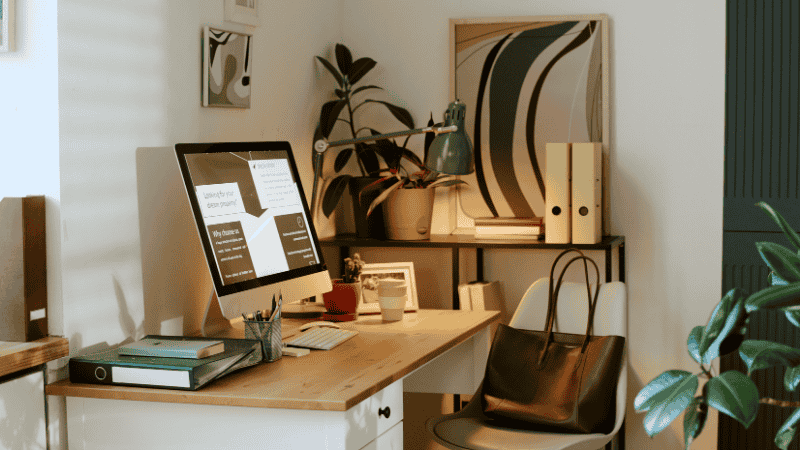
The Setup Logic: Zone 1 vs. Zone 2 Storage
The biggest mistake I see enthusiasts make is buying a massive “everything” organizer that eats up 40% of their 60-inch walnut desk. If you have to reach over a mountain of plastic just to move your mouse, you’ve traded one distraction for another. Instead, I organize my surface by Proximity Zones:
Zone 1 (The Reach Zone)
This is the immediate semi-circle your arms can reach without leaning. Only your keyboard, mouse, and maybe a low-profile “EDC tray” for your daily carry items should live here.
Zone 2 (The Retrieval Zone)
This is the “sweet spot” for your primary desktop organizer. It should sit at the back or side of your desk, housing the gear you use 2–3 times a day (like your notebook or reference tablet), not 2–3 times an hour.
Zone 3 (The Archive)
Anything you use once a week (extra cables, old tax forms) belongs in a file storage box or a dedicated desk drawer. Keep it off the surface.
Real-World Logic: From “Task Anxiety” to Flow
Example A: The “Meeting-Heavy” Manager
David, a remote project manager, spent half his day on Zoom calls. His desk was a nightmare of loose SD cards, half-dead AirPods, and frantic handwritten notes. During high-stress meetings, he’d find himself fidgeting with the clutter, which only spiked his anxiety.
- The Fix: He swapped the scattered piles for a modular tech tray with dedicated slots for his most-used gear.
- The Result: By giving every tech item a permanent home, he eliminated that 4:00 PM fatigue that comes from hunting for a charging cable while your laptop is at 2%. His desk now feels like a controlled cockpit.
Example B: The “Small Desk” Graduate Student
Maya works from a 40-inch floating desk in a cramped studio apartment. With a 27-inch monitor already taking up most of the real estate, she felt claustrophobic.
- The Fix: She moved to a monitor riser with built-in drawers.
- The Result: By moving her storage under her screen, she reclaimed roughly 120 square inches of desk surface. She finally has enough room for her mechanical keyboard and a coffee mug without having to play “desktop Tetris” every morning.
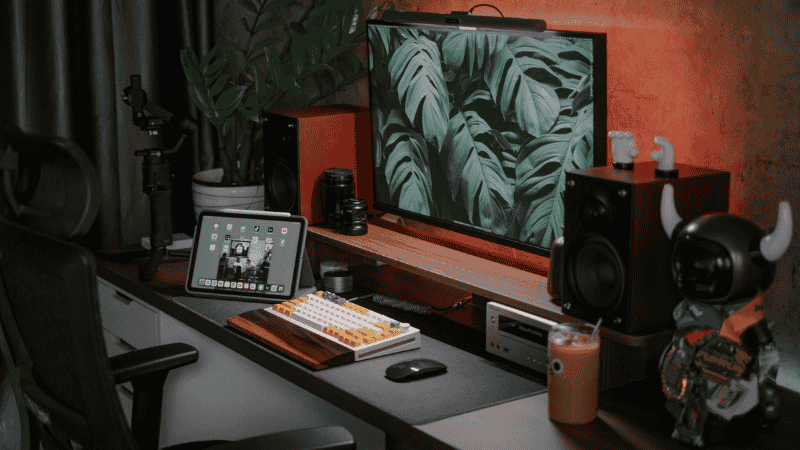
Conversion Layer: Best Desktop Organizer Setups for 2026
| Category | Recommended Setup | Why It Wins |
| Best Overall Setup | Modular Oak & Steel Tray System | Snaps together based on your specific gear; premium materials reduce sensory fatigue. |
| Best for Remote Work | Hidden-Drawer Monitor Riser | Perfect eye-level ergonomics for Zoom calls with “stealth” storage for messy essentials. |
| Best Budget Setup | Vertical Mesh File Sorter | High-density storage that uses vertical height instead of valuable desk surface area. |
Comparison: Choosing Your Material
| Organizer Type | Price | Space Efficiency | Comfort/Tactility | Productivity Impact |
| Modular Wood | $$$ | Moderate | High (Quiet/Warm) | Highest (Customizable) |
| Acrylic / Clear | $$ | Moderate | Moderate | Moderate (High Visibility) |
| Metal Mesh | $ | High | Low (Noisy) | High (Durability) |
| Monitor Riser | $$ | Highest | Moderate |
What Most Desk Setup Guides Get Wrong
Most “productivity” influencers show you a sterile desk that looks like a museum exhibit. Here is the reality they ignore:
- The “Pinterest” Trap: They recommend organizers with tiny, aesthetic slots that don’t fit modern tech. If your desktop organizer can’t fit a thick power bank or a pair of over-ear headphones, it’s useless.
- Texture Matters: Most guides ignore sound. Metal and hard plastic organizers make a loud clack every time you set an item down. This is a subtle but real distraction. Felt-lined or wooden trays are much better for deep focus.
- The Depth Issue: They suggest deep bins where items get buried. If you have to dig for more than 3 seconds, you’ve broken your flow state.
AQ: Mastering Your Workspace Organization
What is the best material for a desk organizer? For focus, go for Wood or Felt. These materials absorb sound and feel “soft” to the touch. It reduces the sensory jar of moving tools around while you’re trying to think.
How do I organize a very small desk? Use the “Vertical Rule.” If your desk is under 48 inches, you cannot afford horizontal storage. Get your gear under the monitor, on a pegboard, or in a vertical laptop stand.
Does a clean desk actually make you work faster? It’s about cognitive load. Research suggests visual clutter competes for your neural resources. A tidy desk can save you up to 20 minutes of micro-distractions per day—that’s nearly two hours of recovered focus per week.
How do I handle charging cables in an organizer? In 2026, any organizer without a cable pass-through is obsolete. Look for modular units that allow you to thread a USB-C cable through the bottom so your phone can charge while sitting in its “home.”
Final Checklist
- [ ] Categorized tools into Zone 1 (Immediate) and Zone 2 (Retrieval).
- [ ] Purged “Zone 3” junk into a file storage box.
- [ ] Chose a material (Wood/Felt) that reduces acoustic distraction.
- [ ] Verified the organizer has cable management cutouts.
The Bottom Line: Your desk is the cockpit of your career. Every piece of clutter is a signal of “work left undone.” By choosing a desktop organizer that matches how you actually work—not just how you want your desk to look on Instagram—you’re building a fortress for your focus.
Hi, this is a comment.
To get started with moderating, editing, and deleting comments, please visit the Comments screen in the dashboard.
Commenter avatars come from Gravatar.