
We’ve all had that moment: it’s 3:00 PM, you’re four hours into a high-stakes project on your dual-monitor setup, and your focus starts to slip. You lean back, and your eyes immediately land on that “temporary” stack of mail, old contracts, and tax documents sitting on the edge of your desk. Suddenly, your brain isn’t thinking about the project anymore; it’s tallying up all the unsorted admin you’ve been avoiding.
This isn’t just about a “messy desk.” It’s about “visual tax.” Every unsorted paper in your peripheral vision is an open loop that triggers a micro-dose of anxiety, contributing to that 4:00 PM burnout. To reclaim your headspace, you don’t just need to “tidy up”; you need a bulletproof system for File Storage that actually fits into a modern, digital-heavy workflow.
The Setup Logic: The “Three-Box” Workflow
The biggest mistake I see productivity enthusiasts make is trying to be “100% paperless.” It’s an unrealistic goal that leads to piles of “to-be-scanned” papers cluttering up your minimalist standing desk. Instead, I use a tiered system based on how often I actually need to touch the paper.
Box 1: The Active Surface (Zero Proximity)
This sits right on your desk. It’s for the stuff you need this week—active project briefs or 2026 tax prep.
Box 2: The Staging Area (Reach Proximity)
This lives on a shelf behind you or in a drawer. It’s for files that are “done” but might be needed for a quick reference in the next few months.
Box 3: The Deep Archive (Storage Proximity)
This is for the “set it and forget it” stuff—birth certificates, house deeds, and the last seven years of tax returns. This belongs in the closet, not on your desk.
Real-World Logic: Why Proximity Matters
Example A: The “Accountant’s Panic”
I have a friend, a freelance developer, who used to spend an entire weekend every April digging through shoeboxes and kitchen drawers for 1099s. By the time he found everything, he was too exhausted to actually do his taxes.
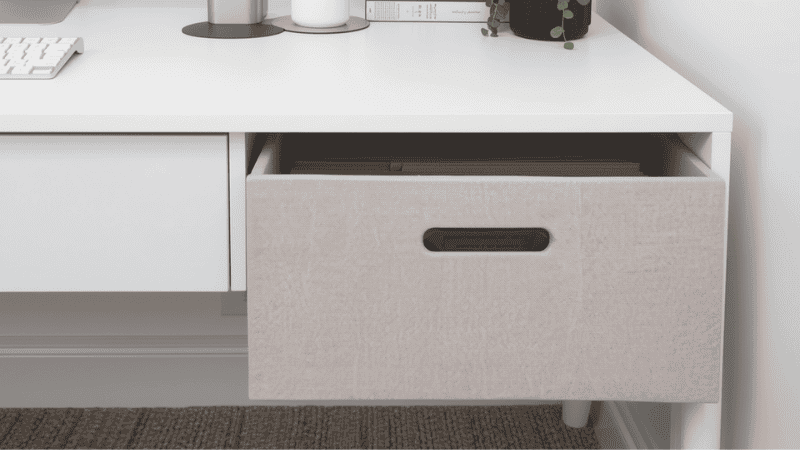
He added a small, aesthetic hanging file box to the return of his L-shaped desk. Now, the second a tax document hits his hand, it goes into a labeled folder. When tax season comes, he just picks up the whole box and takes it to his accountant. Zero hunting, zero fatigue.
Example B: The “Small Apartment” Compromise
I worked with a designer who had a 48-inch standing desk in the corner of her living room. She hated that her desk looked like a “cubicle” because of all the manila folders.
She ditched the industrial plastic for linen-wrapped file storage bins with lids. The boxes look like high-end decor on her bookshelf. By hiding the “work” (the labels and tabs) behind a lid, she was able to mentally “shut down” her office at 6:00 PM, effectively ending the workday fatigue.
Conversion Layer: The 2026 File Storage Recommendations
| Category | Recommended Setup | Why It Wins |
| Best Overall Setup | Decorative Linen Hanging File Box | Blends office utility with home aesthetic; perfect for “Active” and “Staging” use. |
| Best for Remote Work | Portable Locking File Chest | Essential for security-conscious pros handling client NDAs or sensitive records at home. |
| Best Budget Setup | Heavy-Duty Plastic Crates | Indestructible and stackable; best for “Deep Archive” storage in closets or garages. |
Comparison: Choosing the Right Material
| Material | Price | Space Efficiency | Comfort (Visual) | Productivity Impact |
| Linen / Fabric | $$ | High (Stackable) | High (Cozy) | High (Focus) |
| Heavy-Duty Plastic | $ | Moderate | Low (Industrial) | Moderate (Archival) |
| Steel / Metal | $$$ | Low (Heavy) | Moderate (Professional) | High (Security) |
What Most Desk Setup Guides Get Wrong
Most “productivity” influencers show you a completely empty desk and tell you to “go digital.” Here is the reality they ignore:
- The Original Document Trap: You cannot scan a birth certificate or a house deed and throw away the original. You need a physical home for “Top 1%” documents.
- The “Scanner” Friction: If you don’t have a File Storage staging area, paper will pile up while you wait for “time to scan.”
- Visual Noise: Guides often recommend open-top wire baskets. This is a mistake. If you can see the tabs of your folders, your brain is still processing them as tasks. Use a lid to “close the loop.”
FAQ: Mastering the Paper Flow
Should I just scan everything? Scanning is great for “Box 2” (Staging), but you’ll always have “Box 3” (Archive) documents that require the original physical copy. Use physical storage as a temporary filter: once a month, scan what you can and shred the rest using a high-performance document scanner.
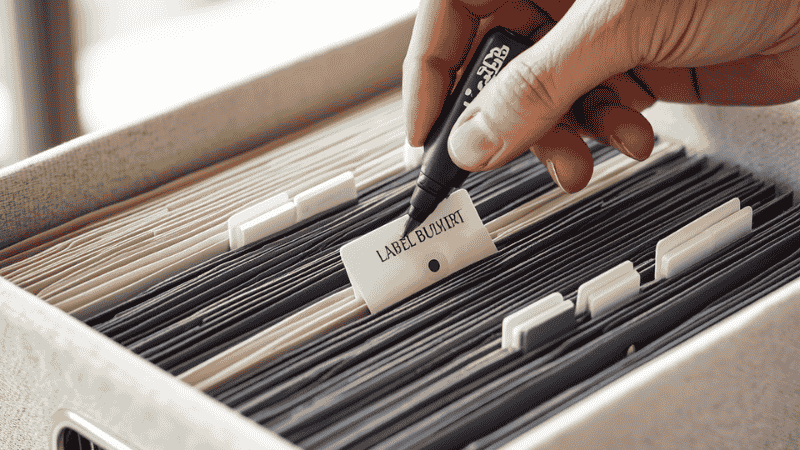
How do I stop the “Junk Drawer” effect? The “Index Rule”: No paper enters the box without a labeled folder. If you find yourself throwing loose papers into the box, stop. That’s a pile, not a system.
Are fireproof boxes actually fireproof? Most are fire-resistant for a set amount of time (usually 30-60 minutes). It’s enough to save your birth certificates and passports in most house fires, but they aren’t a substitute for a bank vault for high-value items.
What size should I buy: Letter or Legal? 90% of home office paperwork is Letter size (8.5″ x 11″). Unless you are a practicing attorney, buy Letter-sized boxes. Legal boxes are 3 inches wider and will eat up your desk space for no reason.
Final Checklist
- [ ] Categorized your paper into Active, Staging, and Archival.
- [ ] Invested in a box with a lid to reduce visual distractions.
- [ ] Labeled every folder before putting it in the box.
- [ ] Placed your “Active” box in Zone 1 (within arm’s reach).
The Bottom Line: Your desk is your cockpit. Every piece of paper that doesn’t have a home is a distraction that pulls you out of your work. By setting up a tiered File Storage system, you aren’t just “organizing”—you’re protecting your focus and your long-term productivity.