
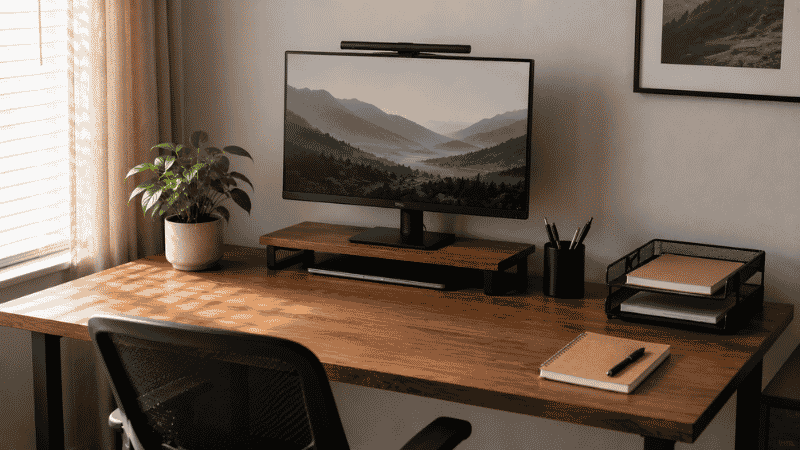
You’ve been here before.
You spend a Saturday afternoon completely reorganizing your desk. New trays, a proper pen holder, cables tucked away, everything in its place. You step back and feel genuinely good about it. You take a photo, maybe. You think: this time it’s going to stay like this.
By the following Friday, the pile is back. The pen holder has three pens that don’t work and one that does, buried somewhere underneath. The tray that was supposed to hold incoming documents is now holding a phone charger, a hair tie, and a battery you’re not sure is dead or not.
Here’s what nobody tells you about desk organization: the problem was never that you didn’t have the right tips. It’s that most desk organization advice is designed to look good in a photo, not to survive contact with an actual workweek.
This is a different kind of guide. Less about the aesthetics of an organized desk, more about why things fall apart — and how to set up a system that works even on your most chaotic Thursday.
— Daniel Shaw, 7 years working from home, three desk setups, countless failed organization attempts before one finally worked
Key Takeaways
- A cluttered desk is a systems problem, not a discipline problem — the right structure makes staying organized the path of least resistance
- 93% of small business owners believe an organized desk increases productivity, yet 75% admit their workspace is more disorganized than they’d like (Office Depot)
- The biggest desk organization mistake is adding tools without removing items first
- Zones matter more than containers — knowing where things belong beats having a place to put everything
- A 5-minute end-of-day reset does more for long-term organization than any weekend reorganization project
Why Your Desk Keeps Getting Messy (It’s Not What You Think)
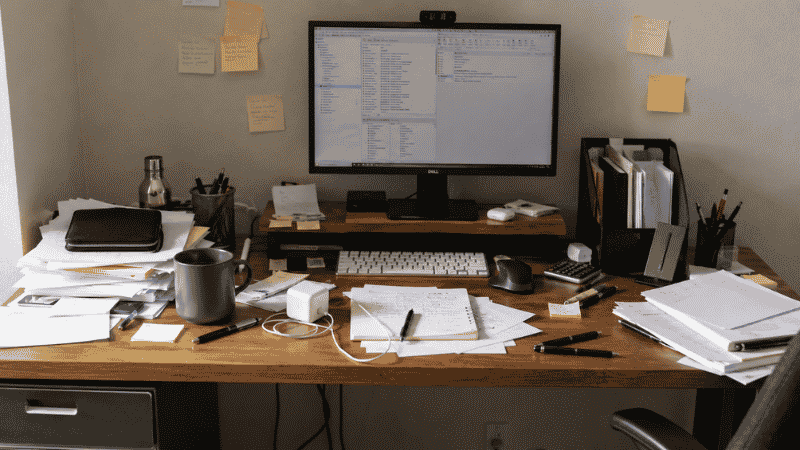
Most people blame themselves. They think they’re just not organized people, not disciplined enough, not the type who can maintain a clean desk. After seven years of working from home and watching my own desks go through cycles of clean and chaos, I’m fairly confident that’s not the real issue.
The real issue is that most organization systems are too fragile. They work when you have time and energy — on a quiet Tuesday morning when you feel on top of things. They collapse the moment you’re busy, stressed, or just tired at the end of a long day.
A desk that only stays organized when you’re trying is not an organized desk. It’s a temporary arrangement waiting to revert.
The systems that actually hold up have one thing in common: putting things back is just as easy, or easier, than leaving them on the desk surface. When the “right place” is a drawer you have to open, clear space in, and then close — you’ll drop things on the desk every single time under any time pressure. When the right place is an open tray at arm’s reach, you’ll use it automatically.
That’s the design principle behind everything that follows.
Start Here: The Desk Reset (Before You Buy Anything)
Every successful desk organization project starts with the same step, and almost nobody does it properly: remove everything from the desk surface. Not some things. Everything.
Put it all on the floor or a table behind you. Then look at your empty desk for a moment. That surface — clean, clear, usable — is what you’re trying to preserve. Everything you put back needs to justify its place on that surface.
Now sort what came off the desk into three groups:
- Daily use: Things you touch every single working day. These earn a spot on or immediately beside the desk surface.
- Occasional use: Things you need a few times a week. These go in a drawer, on a shelf, or in a tray — accessible but not on the main surface.
- Doesn’t belong here: The hair ties, the dead batteries, the book you’ve been meaning to return, the six pens that don’t work. These leave the desk area entirely.
Most people are surprised by how much lands in that third group. Things accumulate on desk surfaces because a desk is a flat surface near where you spend time — it becomes a magnet for anything that doesn’t have a clearer home elsewhere. The reset forces you to make conscious decisions about each item rather than just rearranging the existing pile.
Don’t buy anything new until after you’ve done this step. Most organization problems don’t need more storage — they need fewer things on the desk.
The Zone System: The Desk Organization Idea That Actually Changes How You Work
Once you’ve done the reset, the most useful thing you can do for your desk organization isn’t buying a new tray or organizer. It’s deciding where different categories of things live — and being consistent about it.
Think of your desk in three zones, based on how often you need to reach things:
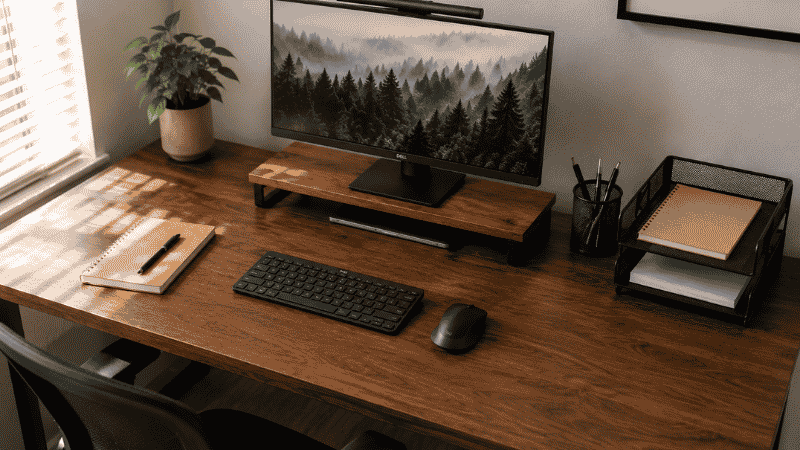
Zone 1 — The Active Zone (Directly In Front of You)
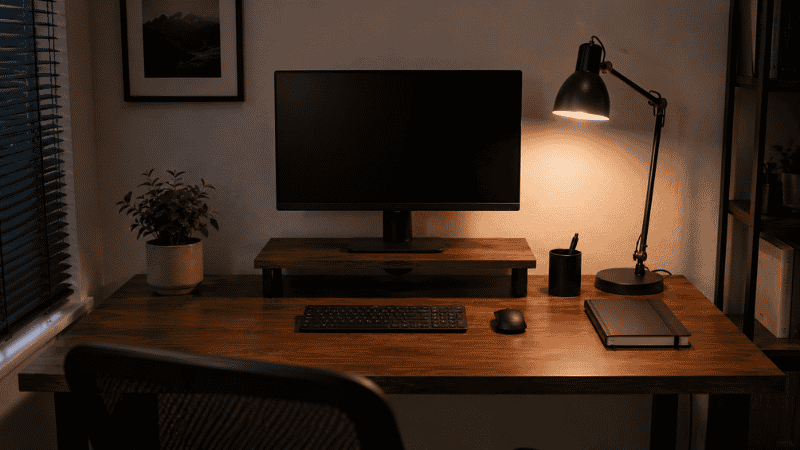
This is your primary working surface: monitor, keyboard, mouse, and nothing else on a permanent basis. The only things that belong in Zone 1 are items actively in use right now. Your notebook while you’re writing in it. The document you’re currently referencing. Your coffee, fine — but only while you’re drinking it.
Zone 1 should be clear at the start and end of every workday. This is non-negotiable. Everything else in the organization system exists to make clearing Zone 1 easy.
Zone 2 — The Reference Zone (One Arm’s Reach Away)
This is where your most-used daily items live when they’re not actively in use. Your working pen (singular — one pen, not a cup full of them). Your current notebook. Your phone. Maybe a sticky note pad. The rule for Zone 2: one item per category. One pen. One notebook. One phone spot.
Zone 2 is where a small tray or a minimal organizer makes sense — not to hold more stuff, but to give each item a defined spot so it always goes back to the same place.
Zone 3 — The Storage Zone (Desk Edge, Drawers, Shelf Above)
Everything that’s not daily-use but needs to be accessible goes here. Your letter tray for incoming documents. Your drawer organizer for paper clips, spare batteries, USB drives. Your cable management system. Backup pens and stationery.
The key design principle for Zone 3: every container should be either open-top or easy to open with one hand. Anything that requires two steps to access will get bypassed under time pressure, and items will land on the desk surface instead.
Desk Organization Ideas That Work by Situation
The zone framework above is the foundation. These are the specific ideas that make it work in different real-world situations.
If You Deal With a Lot of Physical Paper
Paper is the number one driver of desk clutter for most office workers. Loose papers have no logical home, so they end up in a pile — and piles grow until they become a project you keep putting off.
The fix is a two-tier letter tray with a simple rule: incoming (top tray) and to-file or action (bottom tray). Nothing lives in either tray for more than one week. If it’s been in the “to-file” tray for longer than that, it either gets filed, scanned and discarded, or thrown away. The tray is a temporary holding zone, not a second desk surface.
One addition that makes a disproportionate difference: a small vertical file holder for documents you reference regularly (current projects, frequently needed forms, active client folders). Vertical storage takes up far less horizontal desk space than a stack, and you can find things by tabs instead of by digging.
If Your Drawers Are a Black Hole
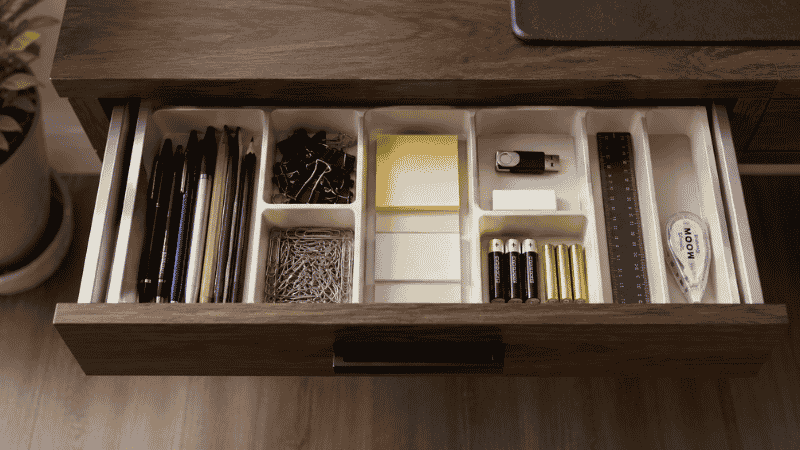
A drawer without compartments is just a box where things go to disappear. The problem isn’t the drawer — it’s that without structure, small items migrate and mix until finding anything requires emptying the whole drawer.
A simple drawer organizer insert — the kind with several compartments of different sizes — solves 80% of this problem immediately. Assign categories: one section for writing tools, one for small tech accessories, one for paper clips and fasteners, one for anything that doesn’t fit elsewhere. The categories matter less than the consistency. Once every item has a section, the drawer stays organized because putting things back correctly takes the same effort as just dropping them in.
If Cables Are Making Everything Look Messy
A well-organized desk with visible cable chaos still looks and feels disorganized. Cables have a unique ability to make an otherwise clean surface feel cluttered because they’re visually complex — the eye tracks them and can’t find a resting point.
The minimum effective intervention: route daily-use cables along the back edge of the desk with a few adhesive clips, and bundle any cables that drop from desk to floor into a single sleeve. This doesn’t require any drilling or permanent modifications. The result is that instead of four individual cables going different directions, you have one clean line that disappears at the desk edge. → Full cable management guide — no drilling required.
If Your Desk Surface Is Too Small
Before adding anything to a small desk, go vertical. A monitor riser with storage underneath immediately gives you a shelf and clears the surface area beneath your screen — a space that’s otherwise wasted. A wall shelf above the desk extends your usable storage footprint without adding any desk surface clutter. A pegboard beside or above the desk turns a vertical surface into organized storage for frequently used items.
The rule for small desks: every item that goes on the surface must displace something currently on the surface, or earn its place by demonstrating that it actually gets used daily. Adding things to a small desk doesn’t work. Only substituting does.
The Part Everyone Skips: How to Keep It Organized
Here’s the uncomfortable truth about desk organization: the setup is the easy part. The hard part is the Tuesday afternoon three weeks later when you’re tired, you have fifteen things to do, and putting things back properly feels like extra work.
The one habit that makes every organization system more durable is a daily reset. Not a deep clean — just five minutes at the end of each workday to return Zone 1 to its clear state. Notebook to Zone 2. Pen to its spot. Papers to the tray. Coffee mug to the kitchen. Anything that doesn’t belong on the desk, off the desk.
Five minutes. Every workday. That’s the entire maintenance system.
It sounds too simple. But the alternative — letting things accumulate until the desk requires a 45-minute reorganization — means you’ll do that reorganization less and less often, and the desk will stay in various states of disorder most of the time. The daily reset prevents the pile from ever forming in the first place.
Set a timer if it helps. Five minutes at 5pm, or whenever your workday ends. After two weeks it becomes automatic.
What to Do When Your Organization System Has Already Collapsed
Maybe you’re reading this because your desk is currently in that state — the state after the last organization attempt gave up. The pile has reformed. The tray is full of things that aren’t documents. The pen holder has become a general-purpose container for whatever didn’t have a better place.
The answer isn’t another organizational product. It’s a shorter feedback loop.
Do the reset again — but this time, ask a different question when you’re deciding what goes back. Don’t ask “where should this live?” Ask “would I put this back in this spot consistently, under time pressure, after a long day?” If the honest answer is no, the system you’re designing won’t last. Change the location until the answer is yes.
Organization systems fail when the “right” behavior requires more effort than the “wrong” behavior. A desk stays organized when returning things to their place is genuinely easier than leaving them on the surface — not just theoretically easier, but actually faster and lower-friction in practice.
If You Only Have 10 Minutes Right Now
Don’t have time for the full reset? Here’s what makes the biggest difference in the least time:
- Remove everything that doesn’t belong on a work surface — personal items, food packaging, anything that isn’t work-related. Takes two minutes. Immediate visual improvement.
- Consolidate your writing tools — test every pen and marker. Keep only what works. Put them in one container. Throw the rest away. This single step removes a surprising amount of surface clutter.
- Deal with the paper pile — don’t file it, don’t organize it. Just stack it neatly in one corner and put a sticky note on top that says “sort by [specific date two days from now].” A neat pile is better than a scattered one, and committing to a specific sort date means it actually happens.
That’s the 10-minute version. It won’t last without the full system, but it gets you from chaos to functional in time for the next meeting.
Frequently Asked Questions
What are the best desk organization ideas for a home office?
The most effective ideas aren’t about specific products — they’re about structure. The zone system (active zone directly in front, reference zone to one side, storage zone at the edges and below) works in any home office regardless of desk size. Within that structure: a letter tray for paper, a drawer organizer for small items, cable clips to route cords off the surface, and a monitor riser to reclaim the space underneath your screen. Start with the zone system, identify what’s causing your specific clutter, and only then add targeted tools.
How do I organize my desk when I have too much stuff?
The question itself contains the answer: you have too much stuff. Before organizing anything, remove items from the desk entirely. Most desk organization problems are storage problems — trying to find places to keep too many things in too small a space. The real solution is usually to remove 30–40% of what’s on the desk (to drawers, shelves, or the bin), not to find better containers for all of it.
How do I keep my desk organized when I’m busy?
Build the reset into your existing end-of-day routine, not as an additional task but as a replacement for something you’re already doing. If you shut down your computer at a specific time, do the five-minute reset immediately before shutting down — make it part of the shutdown sequence. The desk reset should take no longer than closing your applications. If it takes longer than five minutes, the system has too many steps and needs to be simplified.
Does a clean desk actually improve productivity?
The research suggests yes, with some nuance. A Princeton University neuroscience study found that visual clutter competes for attention in the brain, reducing the ability to focus and process information. The effect is real — but it doesn’t mean a perfectly empty desk is the goal. What matters is that items in your visual field are things you’re actively using, not things that are there because they don’t have a better place. A desk with tools actively in use is fine. A desk covered in things you’re ignoring is the productivity problem.
What should I keep on my desk and what should I put away?
A useful rule: if you don’t touch it every single working day, it shouldn’t have a permanent spot on the desk surface. That means most people’s desks should have a monitor, keyboard, mouse, one notebook, one pen, and their phone — and not much else as permanent fixtures. Everything else can live in a drawer or on a shelf and come to the surface only when in use. The clearer your active zone, the less friction you experience when you sit down to work.
The Bottom Line on Desk Organization
The desks that stay organized aren’t the ones that had the most thought put into them on a Saturday afternoon. They’re the ones designed around the reality of a busy Thursday — when you’re tired, you’re behind, and the easiest thing to do with any object is put it down on the nearest flat surface.
Build your system so that the easiest thing is also the right thing. Make Zone 1 clear by default. Make Zone 2 items easy to replace exactly. Make Zone 3 storage one motion to access. Do five minutes at the end of every day.
That’s the whole system. It works not because it’s clever, but because it’s realistic.
More from WorkDeskLab:
- How to Set Up a Home Office That Actually Works
- Desk Cable Management Guide — Hide Every Wire Without Drilling
- Best Desk Organizers — Tested Picks for Every Desk Size
References: Princeton University Neuroscience Institute — “Interactions of Top-Down and Bottom-Up Mechanisms in Human Visual Cortex” (Journal of Neuroscience, 2011) · Office Depot Small Business Index Survey — Workplace Organization and Productivity (officedepot.com)