
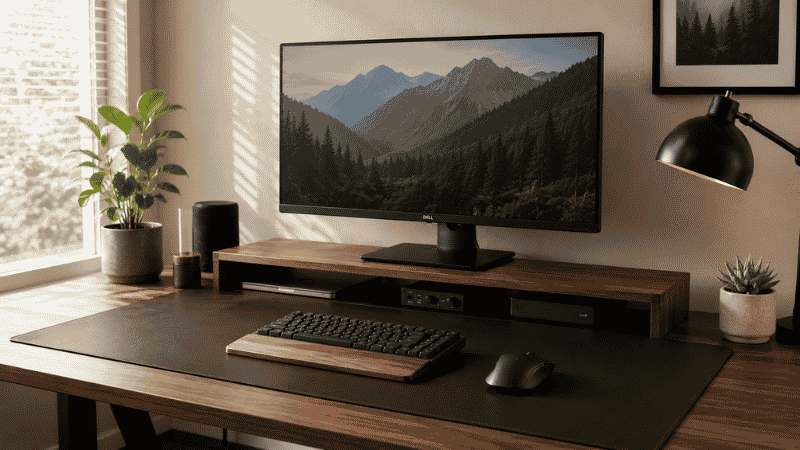
It’s one of those purchases that feels slightly frivolous until you actually have one.
You see a desk mat in a setup photo — usually a clean leather one under a monitor and keyboard, making the whole surface look intentional and organized. You think: that’s nice, but it’s not exactly essential. And then you get one. And three days later you can’t imagine working without it.
That reaction surprises most people because they go in expecting a surface protector and come out with something that actually changes how the desk feels to use. The mouse moves differently. The keyboard doesn’t slide when you’re typing fast. The surface looks cleaner because there’s one unified mat instead of a collection of individual pads and bare desk in between. And yes, the desk underneath isn’t getting scratched anymore either.
This guide covers what a desk mat actually does, how to choose the right size, which materials work for different types of use, and the few situations where you genuinely don’t need one. No fluff, no excessive product recommendations — just the information that helps you decide.
— Daniel Shaw, 7 years working from home, converted desk mat skeptic since about year two
Key Takeaways
- A desk mat unifies the entire desk surface visually, which research on environmental order suggests reduces low-level cognitive load during work
- The right size covers keyboard, mouse, and some writing space — for most desks that means 31 to 36 inches wide minimum
- Leather and PU leather are the most durable and easiest to clean; felt is the most comfortable but least spill-resistant
- Desk mat and desk pad are the same thing — the terms are used interchangeably across most retailers
- A non-slip backing matters more than most buyers realize — a mat that shifts under keyboard pressure undoes most of the organizational benefit
Why Use a Desk Mat? The Actual Reasons (Beyond Aesthetics)
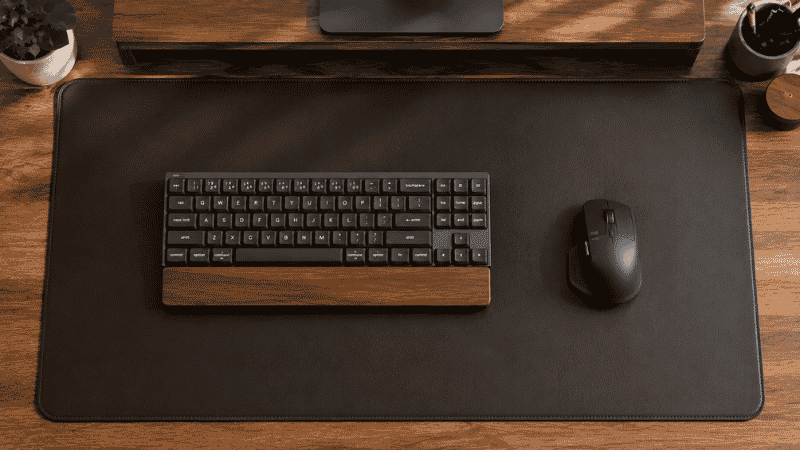
Most desk mat guides lead with “protects your desk surface” — which is true but undersells what’s actually happening. Surface protection is the reason you’d notice if you didn’t have one; the other reasons are why you’d miss it if you took it away.
Mouse consistency. An optical mouse reads surface texture to track movement. A desk surface has variation — grain, micro-scratches, finish inconsistencies — that creates slightly unpredictable tracking. A mat provides a consistent surface, which means the mouse moves smoothly and predictably every time. This is more noticeable than it sounds during long work sessions.
Keyboard stability. Keyboards slide, especially lightweight ones on smooth desk surfaces. A mat with texture or a non-slip backing keeps the keyboard in place without you consciously holding it there. That small reduction in friction — literally — makes extended typing less physically effortful.
Wrist comfort. The edge of most desk mats is softer than a desk edge. During long typing or mouse sessions, forearms resting on the mat edge rather than a hard wood or laminate edge reduces the pressure point that builds up over hours. It’s a small thing that becomes noticeable over a full workday.
Visual organization. A desk mat creates a defined work zone — everything on the mat belongs there, everything off the mat is something else. This psychological delineation of space is subtle but real. Princeton University neuroscience research on visual order found that defined, organized surfaces reduce the cognitive load of processing your environment. A mat doesn’t eliminate clutter, but it creates a frame that makes the working surface feel intentional.
Surface protection. And yes — the desk underneath won’t accumulate micro-scratches from seven years of mouse movement and keyboard corners. This matters more if you have a nice desk; less if you have a budget laminate surface you’ll eventually replace.
Desk Mat Size Guide: How Big Does It Actually Need to Be
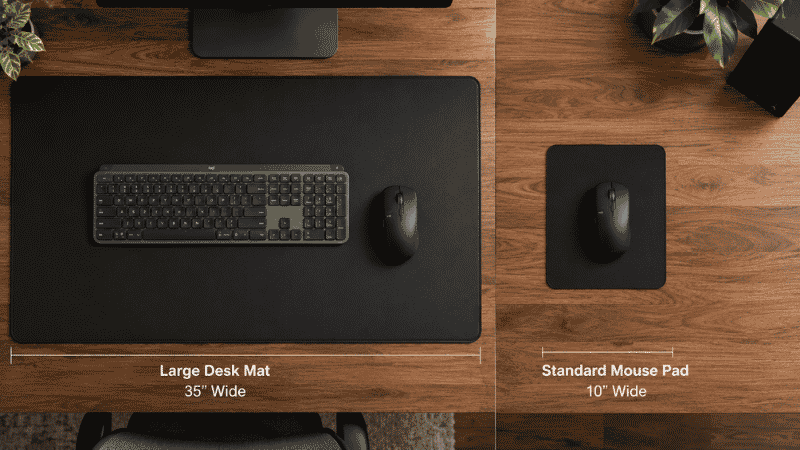
This is where most first-time buyers make the mistake. They buy a mat sized for a mouse pad — 12 by 18 inches — and end up with something that covers the mouse area but leaves the keyboard on bare desk and creates a visible seam between mat and surface that looks worse than nothing.
The functional minimum for a desk mat: it should cover your keyboard, your mouse area, and some space between them. For most setups, this is a mat at least 31 inches wide and 12 inches deep.
The better target: a large desk mat that covers most of the desk surface you actively use. This is typically 35 to 47 inches wide depending on desk size. A mat this size creates the unified surface look that makes a real difference to how organized the desk feels — and eliminates the half-covered compromise.
How to measure before buying:
- Sit at your desk in your normal position
- Note where your keyboard sits, where your mouse moves, and how much space you use for notebooks or documents to the side
- Measure that total span left-to-right — that’s your minimum mat width
- For depth, measure from the front edge of the desk to roughly where your monitor base sits — that’s the depth you want covered
One sizing note: very large mats (over 42 inches wide) can curl at the edges and slide more than smaller mats, especially if the backing isn’t high quality. If you go large, check that the mat has a thick, grippy non-slip rubber backing — thinner PU-backed mats at large sizes tend to move around more than they should.
Desk Mat Materials: What Each One Actually Feels Like to Use
The material determines how the mat feels under your hands, how it handles spills, how long it lasts, and how much maintenance it needs. Not every material is right for every use case.
Leather Desk Mat
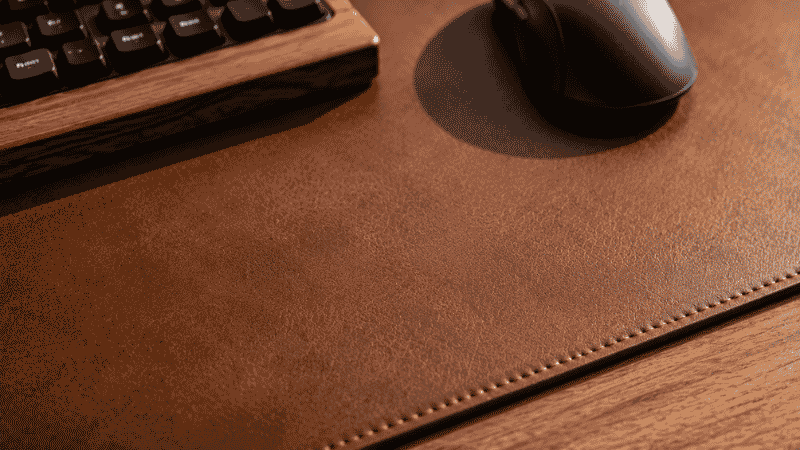
The most popular material for home office desk mats — and for good reason. Genuine leather and high-quality PU (vegan) leather both provide a smooth, consistent surface that works well for mouse use, writes cleanly on paper, and wipes down in seconds when something spills.
Genuine leather develops a patina over time — it looks better with age rather than worse, which is the opposite of most desk surfaces. PU leather is indistinguishable from genuine leather in daily use and typically costs significantly less. The main difference shows up after two or three years: genuine leather holds up better to heavy use; PU leather may start to peel at edges under constant friction.
For most home offices, PU leather is the practical choice. It’s durable, easy to clean, looks professional on video calls, and doesn’t require conditioning.
Editor’s note: The leather desk mat price range is wide — from $15 PU mats on Amazon to $200+ full-grain leather from specialty brands. The $40–$70 range covers mats that look and feel genuinely good without the premium brand markup. The $15 mats are usually fine for a year or two but tend to peel at the edges.
Felt Desk Mat
Felt mats are softer and warmer to the touch than leather — they feel more like a padded surface than a hard desk. They also absorb sound slightly, which makes keyboard typing noticeably quieter.
The tradeoffs: felt is less smooth for mouse use than leather, stains more easily, and doesn’t wipe clean — spilled coffee on a felt mat requires effort to remove. Felt mats also tend to pill with heavy use over time, especially in the mouse area where friction is constant.
Best for: setups where aesthetics and warmth are prioritized and spill risk is low. Not ideal as the only mat for a desk where you regularly eat or drink while working.
Cork Desk Mat
Cork is a genuinely useful material for desk mats that doesn’t get enough attention. It’s naturally non-slip (no rubber backing needed), antimicrobial, and provides a slightly cushioned writing surface. It’s also one of the more environmentally sustainable options.
The practical limitation: cork is thicker and less smooth than leather, which makes mouse tracking slightly less precise. It’s also more prone to surface marks from sharp objects. For writing-heavy setups with limited mouse use, it’s excellent. For mouse-heavy computer work, leather or fabric is better.
Desk Mat with Wireless Charging
A newer category: desk mats with a built-in wireless charging pad, typically covering a defined spot on the mat’s surface. These work well if you charge a Qi-compatible phone at your desk regularly — you set the phone down on the mat and it charges without needing a separate charger taking up surface space.
What to know: the charging area is fixed in position, so the mat needs to be oriented correctly relative to where you naturally put your phone. The wireless charging function also adds cost and introduces a cable running from the mat to a USB port — which somewhat offsets the cable-reduction benefit. For the right setup (regular phone charging, not wanting a separate charger), it’s a genuinely useful feature. For most people, a standard mat plus a small wireless charger is simpler.
Desk Mat vs Desk Pad: Is There a Difference?
Short answer: no. The terms are used interchangeably by most manufacturers and retailers. “Desk mat” tends to be used for larger, full-surface options; “desk pad” sometimes implies a smaller writing-area cover. But there’s no industry standard — you’ll find identical products sold as both.
When searching, use both terms. Some of the best options appear under one term but not the other depending on the retailer.

What to Look for Before Buying a Desk Mat
Four things that actually matter in daily use:
Non-slip backing. The most important feature most listings downplay. A mat that slides when you lean on it or type heavily is more annoying than no mat at all. Look for thick rubber backing — the thicker it is, the more grip it provides. Test: check reviews specifically for mentions of sliding or movement. If multiple reviewers mention the mat shifts, avoid it regardless of how good it looks.
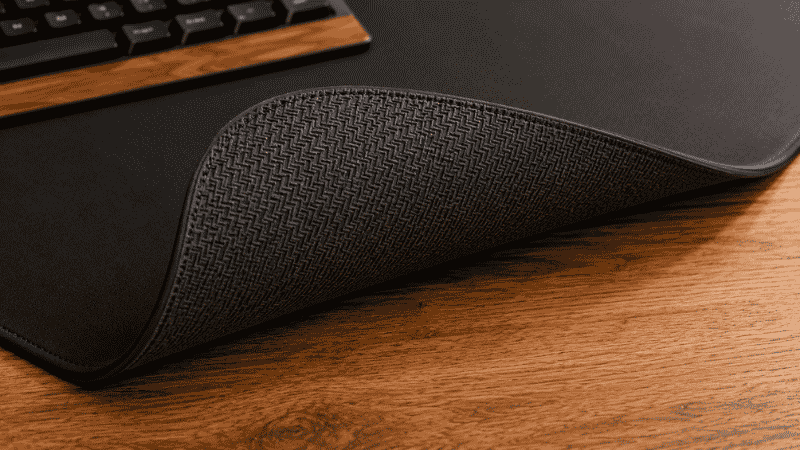
Edge finishing. The edges of a desk mat take more abuse than the surface — they get caught on sleeves, rubbed by wrists, and lifted when repositioning. Stitched or reinforced edges hold up significantly better than unfinished ones. For leather mats, look for stitched perimeter rather than just folded-under edges.
Surface texture. Smooth surfaces (leather, PU leather) work better for mouse use. Slightly textured surfaces (cork, felt) work better for writing on paper. If you do both equally, leather is the more versatile choice — it’s better for mouse use and adequate for writing, while felt is excellent for writing but mediocre for mouse use.
Thickness. Thinner mats (1–2mm) lie flatter and are less likely to curl at edges. Thicker mats (3–5mm) provide more cushioning for wrists and forearms during long sessions. For most desks, 2–3mm is the practical sweet spot — flat enough to stay down, thick enough to feel like something.
When You Don’t Need a Desk Mat
A desk mat isn’t the right solution for everyone. Skip it if:
- You have a standing desk that adjusts frequently — mats shift and bunch under motorized movement, and the constant repositioning becomes annoying
- Your desk surface is already glass or polished stone — these surfaces don’t scratch easily, and a mat on top of a glass desk tends to look visually cluttered rather than organized
- You do very little mouse or keyboard work — if your desk is primarily a writing or drawing surface, a smaller writing pad serves the purpose better than a full desk mat
If You Only Have 5 Minutes to Decide Right Now
If you’re trying to pick quickly: measure your desk surface width, note whether you spill things regularly at your desk, and pick accordingly.
- Spill-prone + want easy cleaning → PU leather mat, 35″+ wide
- Minimal spill risk + want warmth and quiet typing → felt mat, 31″+ wide
- Eco-conscious + mostly writing → cork mat, size to fit your writing area
- Undecided → PU leather. It’s the most versatile, easiest to maintain, and works for most home office use cases
Frequently Asked Questions
What is a desk mat used for?
A desk mat serves four main functions: protecting the desk surface from scratches and spills, providing a consistent surface for mouse tracking, keeping the keyboard and other items from sliding during use, and visually unifying the desk surface. The last function is underestimated — a mat creates a defined work zone that makes the desk feel more organized even when the same items are present.
What size desk mat do I need?
The mat should cover your keyboard, mouse area, and any space you use for writing or reference documents side-by-side. For most home office desks, this means at least 31 inches wide and 12 inches deep. If you want full-surface coverage (the most organized look), 35 to 47 inches is the target range depending on your desk width. Measure the span of your active working area before ordering.
What is the best material for a desk mat?
It depends on use. For most home office workers who use a mouse regularly and want easy maintenance: PU leather. For writing-heavy setups where mouse use is minimal: cork or quality felt. For anyone who prioritizes easy cleaning above all else: PU leather or genuine leather. Felt is the warmest and most comfortable but the hardest to keep clean and least durable under heavy daily use.
Is a gaming desk mat different from an office desk mat?
Gaming desk mats are usually fabric/microfiber — a material optimized for precise optical mouse tracking at fast speeds. They’re functional for office use too, but they tend to absorb stains more easily than leather options and don’t have the same professional aesthetic. If you primarily do office work and want something that looks polished on video calls, a leather or PU leather mat is a better fit. If you use the desk for gaming and office work, a large fabric mat works for both.
How do I clean a desk mat?
Leather and PU leather: wipe with a slightly damp cloth. For deeper cleaning, a small amount of mild soap on the cloth, then wipe dry. Avoid alcohol-based cleaners — they degrade PU coatings over time. Felt: spot-clean with cold water and a small amount of mild detergent, blotting rather than rubbing. Don’t soak felt mats — they can warp or mold if wet through. Cork: wipe with a slightly damp cloth, dry immediately. Don’t submerge or saturate.
A Small Change That Changes How the Desk Feels
A desk mat is one of those upgrades that’s hard to justify until you have it, and then hard to give up. The desk feels more intentional. The mouse moves better. The surface looks cleaner because there’s a unified visual layer rather than a patchwork of pads and bare desk in between.
Pick the right size — generous enough to cover your full working area — and the right material for how you actually use the desk. The rest takes care of itself.
More from WorkDeskLab:
- How to Set Up a Home Office That Actually Works
- Desk Organization Ideas That Actually Stick
- Monitor Stand — Why Your Screen Is Too Low and How to Fix It
- Desk Cable Management — Hide Every Wire Without Drilling
References: Princeton University Neuroscience Institute — “Interactions of Top-Down and Bottom-Up Mechanisms in Human Visual Cortex,” Journal of Neuroscience, 2011 · American Journal of Industrial Medicine — Surface ergonomics and wrist contact pressure in extended keyboard/mouse use (AJIM)