
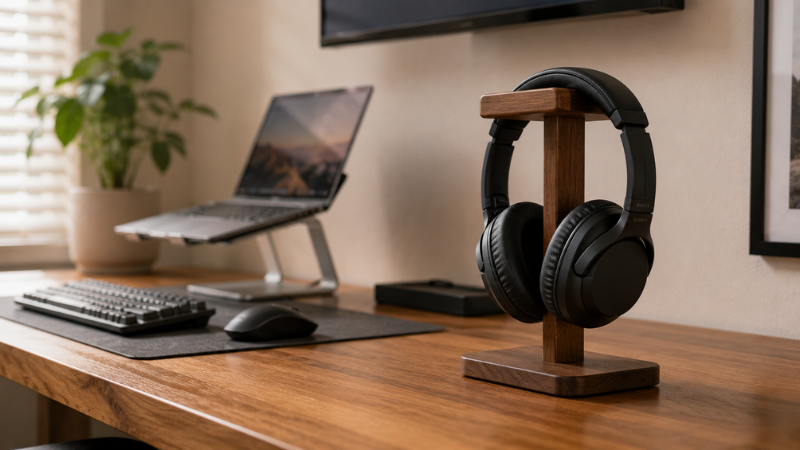
Headphones are the one desk item that never has a good place to go.
They’re too big for a drawer. Too awkward to hang on a monitor. Too easy to knock off the corner of the desk where they’ve been balanced since last Tuesday. So they live on the desk surface, taking up a footprint roughly the size of a large notebook, tangling their cable into whatever’s nearby, and generally adding to the visual noise of the setup.
A headphone stand costs between $10 and $40. It takes up less desk space than the headphones lying flat, gives them a permanent address, and — this is the part people don’t quite expect — makes the whole desk look more intentional. More organized. Like someone thought about where things go.
It’s a small thing. But it’s the kind of small thing that punches well above its weight in how the desk feels to sit at. This guide covers the four main types of headphone stand, when each makes sense, and the few things worth checking before buying one.
— Daniel Shaw, 7 years working from home, one headphone stand that’s been on the same desk corner for three years
Key Takeaways
- A headphone stand removes headphones from the desk surface — the single most effective change for clearing a cluttered desk that most people overlook
- Four main types: desktop stand (sits on desk), under-desk hook (mounts beneath desk edge), wall mount (on the wall), and hanger (attaches to monitor or shelf)
- Desktop stands are the most visible and aesthetically impactful; under-desk hooks free up the most surface space
- Wooden headphone stands are the most popular aesthetic choice; they pair well with natural desk surfaces and don’t scratch headphone finishes
- Most headphone stands work with all headphone types — the key check is the arm width to ensure your headphones don’t stretch too wide
Why Headphones Always End Up on the Desk Surface
Headphones occupy a specific design gap. They’re too large to go in most desk drawers without folding, and even when they fold, they take up significant drawer space that’s usually more useful for other things. They can’t lean against a wall cleanly. They fall off monitor corners. So they end up flat on the desk surface, which is where they stay until someone buys a stand.
The problem isn’t the headphones. It’s the absence of a designated spot. A desk stays organized when every item has a specific, easy-to-reach home — and headphones are usually the last item to get one. → Desk Organization Ideas — why every item needs a specific home.
The headphone stand solves this completely and immediately. The headphones have one spot, they go back there automatically because it’s the easiest option, and the desk surface where they used to sit is suddenly available.
Headphone Stand for Desk: The Classic Desktop Option
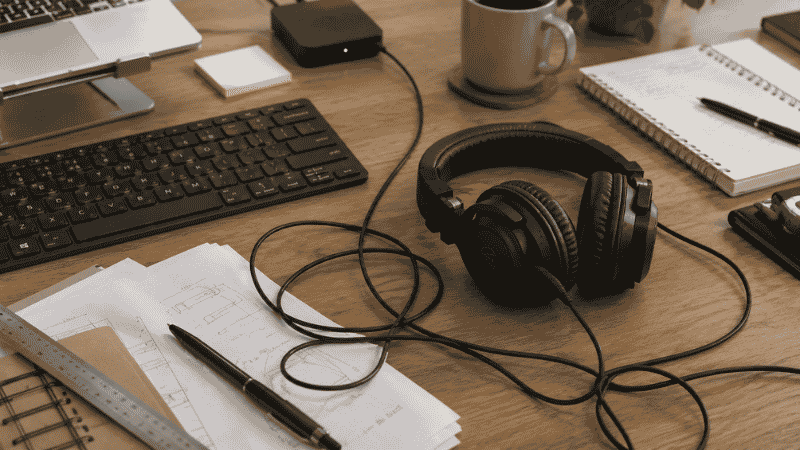
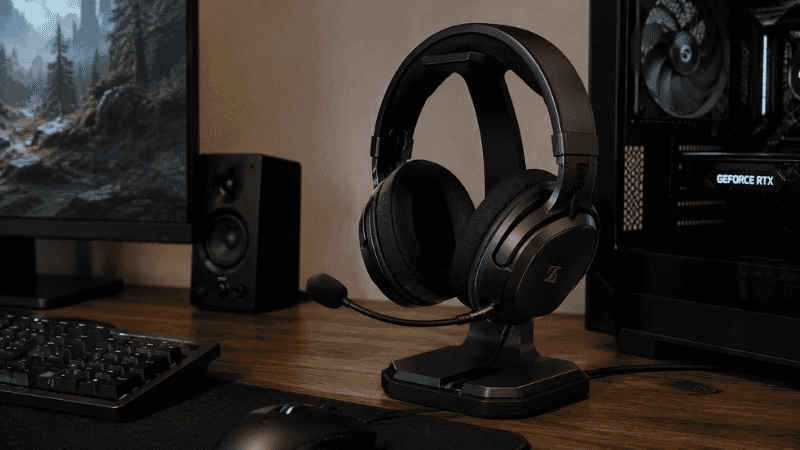
A desktop headphone stand sits on the desk surface — typically at a corner or the side — and holds the headphones upright on an arc-shaped arm. This is the most common type, the most visible, and the one that contributes most to how the desk looks overall.
The footprint of a desktop stand is smaller than headphones lying flat. A typical stand has a base roughly 4 by 4 inches; headphones lying flat take up twice that. The vertical presentation also keeps the headphones off the surface where they’d accumulate dust on the ear cups.
What to look for:
- Arm width: The horizontal arm that holds the headphones should be wide enough for your headband to rest naturally without stressing the headband joint. Most stands accommodate standard headband widths; very wide gaming headsets sometimes need a stand specified for gaming use.
- Base stability: A stand that tips when you grab the headphones in a hurry is more annoying than no stand at all. Check that the base has adequate weight relative to the arm height. Stands with heavier bases (metal, wood) are more stable than lightweight plastic.
- Surface protection: The base should have rubber or felt feet to avoid scratching the desk. The arm should have a soft surface where the headband rests to avoid scratching the headband finish.
Wooden Headphone Stand
The wooden headphone stand is, by some margin, the most aesthetically pleasing option for most desk setups. Wood pairs naturally with wooden desk surfaces, adds warmth that metal or plastic doesn’t, and ages gracefully rather than showing scratches and wear.
Bamboo and walnut are the most common materials. Bamboo is lighter and typically less expensive; walnut is denser, heavier (which helps stability), and has a richer grain that looks more refined. Both are gentle on headphone finishes.
The practical limitation of wooden stands: most are fixed-form rather than adjustable, and the arm width is fixed at manufacture. Measure your headband width against the stand’s listed arm width before ordering if you have a particularly wide or narrow headset.
Headphone Stand with Charging
A headphone stand with integrated wireless charging has a Qi charging pad built into the base — so placing the stand on the desk also creates a charging spot for your phone. One item serves two purposes, and one less cable is needed on the desk surface.
Worth it if: you charge your phone wirelessly at your desk regularly and want to reduce cable count. Not worth it if: you don’t use wireless charging, or you’d rarely use the charging function — the added cost doesn’t justify a feature you won’t use. A simple stand plus a separate wireless charger positioned elsewhere is more flexible and often cheaper than a combined unit.
Headset Holder and Headphone Holder: Under-Desk Options
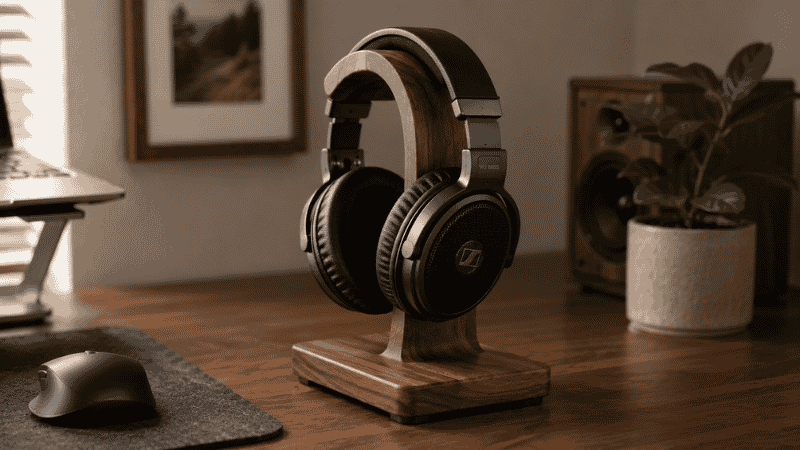
An under-desk headphone hook attaches to the underside of the desk and holds the headphones hanging below the desk surface — completely off the desk top, completely out of sight when not in use. It’s the option that maximizes surface clearing.
The mechanism is usually a clamp or adhesive attachment. Clamp-on hooks grip the desk edge without tools or marks. Adhesive hooks stick to the underside of the desk and hold well on smooth surfaces if installed correctly (clean surface, cure time, appropriate weight limit).
The practical advantage: an under-desk hook takes up zero desk surface space. The headphones hang where previously there was just air. The desk gains the full surface area that the headphones were occupying, plus the stand itself takes no space at all.
The practical limitation: reaching under the desk to hang headphones is slightly more effort than setting them on a stand in front of you. For people who remove and replace headphones frequently throughout the day, this friction can mean the headphones end up on the desk anyway. For people who remove headphones less frequently (wearing them for long stretches, putting them away once at end of day), the under-desk hook works perfectly.
Headphone Hanger
A headphone hanger is a smaller variant — often a simple hook that attaches to the side of a monitor, the edge of a shelf, or the side of a desk hutch. It holds the headphones hanging off the side of an existing structure rather than requiring its own base or under-desk mounting.
These are the cheapest and most flexible option — often $8–$15 — and work well when the desk doesn’t have clearance for an under-desk hook, or when a desk-surface stand would take up too much space. The attachment is usually adhesive, which is strong enough for headphone weight but should be rated accordingly.
Headphone Wall Mount: When the Desk Has No Room
A headphone wall mount attaches to the wall beside or above the desk and holds the headphones entirely off the desk surface and off the desk structure. The headphones hang on the wall, accessible but completely out of the desk’s visual footprint.
This is the most space-efficient option for very small desks or cluttered setups where both the desk surface and the desk underside are already in use. The headphones become a wall-mounted element rather than a desk element — which can look intentional and organized if positioned correctly, or slightly odd if placed without thought.
The positioning consideration: the mount should be within arm’s reach of your seated position. A wall mount that requires standing up to access the headphones will get bypassed — the headphones will end up on the desk again. Mount it at approximately seated shoulder height, to the side of the desk, where you can reach it from the chair.
Installation: most wall mounts require two screws into the wall. For renters or people who prefer not to drill, an adhesive wall hook rated for the headphone weight (typically 1–2 lbs) works, though drilling gives significantly more secure mounting for long-term use.
Gaming Headset Stand: Larger Headphones, Different Needs
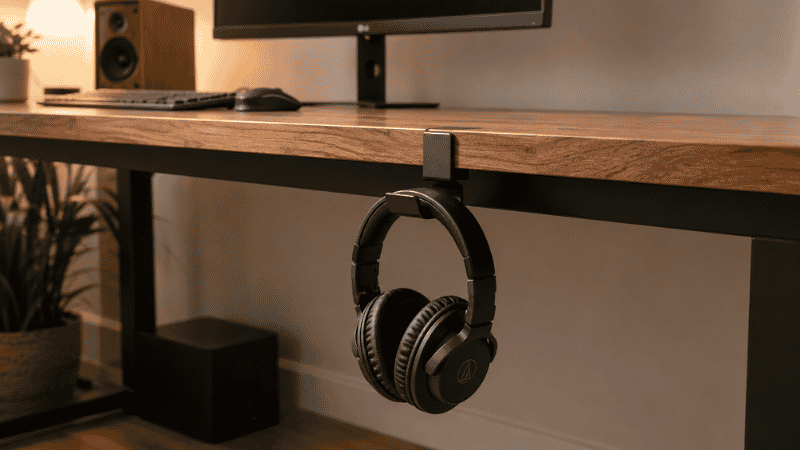
Gaming headsets tend to be larger than studio or office headphones — wider headbands, larger ear cups, sometimes with attached microphones that add weight and width. Standard headphone stands usually accommodate gaming headsets, but the arm width and weight capacity are worth checking specifically.
A gaming headset stand often features a wider arm than standard stands, higher weight capacity, and sometimes cable management built in — a clip or channel on the stand base that routes the headset cable neatly rather than letting it drape across the desk.
The microphone consideration: headsets with flip-down or boom microphones need a stand that accommodates the mic attachment without stressing it. Stands designed for gaming headsets usually account for this; stands designed for studio headphones sometimes don’t. Check whether the stand allows the mic to sit in a natural position without bending or contorting it.
What to Check Before Buying
Three quick checks before ordering a headphone stand:
Headband width compatibility. Most stands list a maximum headband width. Measure yours — or check your headphone’s specs — and confirm the stand’s arm is wide enough to hold them without the headband being stretched.
Weight capacity. Standard headphones weigh 200–400g. Gaming headsets can reach 400–600g. Most stands handle this easily, but adhesive-mount options sometimes have lower weight limits. Check the rating if your headset is particularly heavy.
Cable routing. If your headphones are wired, the cable needs somewhere to go. Some stands have a cable clip or routing channel built in; others leave the cable to drape freely. For a clean desk setup, a stand with cable management or a cable clip nearby makes a difference in how tidy the overall arrangement looks. → Desk Cable Management Guide — keeping peripheral cables organized.
If You Only Have 10 Minutes and No Budget Right Now
The free version: a large binder clip clipped to the edge of your desk shelf or monitor stand arm creates a hook for headphones. It’s not pretty, but it gets them off the desk surface and gives them a spot. Takes thirty seconds, costs nothing, and tests whether the “headphones off the desk” principle makes a difference to your setup before spending anything.
If the test works — if the desk feels meaningfully better with headphones not on the surface — a proper stand is a worthwhile $15–$30 purchase. If you don’t notice the difference, the binder clip is fine.
Frequently Asked Questions
What is a headphone stand used for?
A headphone stand gives headphones a dedicated storage position when they’re not being used. Instead of sitting flat on the desk surface (taking up space and collecting dust on the ear cups) or being placed in a drawer, headphones rest upright on a stand in a fixed location. This clears desk surface space, protects the headphone finish, and makes the desk look more organized by giving every item a specific home.
What is the best headphone stand?
The best headphone stand depends on your desk situation. For most home office desks with available surface space: a wooden desktop stand with a stable base. For desks where surface space is at a premium: an under-desk hook that takes up zero surface area. For very small desks or setups without under-desk clearance: a wall mount beside the desk. For gaming headsets specifically: a stand designed for the wider headband and heavier weight of gaming headsets, with cable management built in.
Does a headphone stand damage headphones?
A well-designed headphone stand should not damage headphones. The arm should be wide enough that the headband rests without being stretched, and the contact surfaces should be soft (silicone, felt, or wood) rather than hard plastic or metal edges. The most common damage from headphone stands is headband stretch from a stand with too narrow an arm — this is the main measurement to check before purchasing.
Where should I put a headphone stand on my desk?
Within arm’s reach from your seated position, but outside the active working zone directly in front of you. The sides or rear corners of the desk work well — the headphones are accessible when you reach for them but not in the primary visual field while working. For under-desk hooks, position them beneath the front half of the desk where you can reach them without leaning.
Is an under-desk headphone hook better than a desk stand?
It depends on how often you use your headphones. Under-desk hooks maximize surface space but add a small reach-and-hang friction to every use. If you remove your headphones infrequently (keeping them on for long stretches, removing once at day’s end), the hook works perfectly. If you’re on and off headphones every hour, the slightly easier reach of a desk stand may be worth the surface footprint. Both solve the core problem of giving headphones a permanent home.
One Small Thing, Done Right
A headphone stand is not a transformative purchase. It’s a $15–$30 item that solves one specific problem: headphones don’t have a place to go, so they sit on the desk surface taking up space and adding clutter.
The disproportionate visual impact comes from headphones being relatively large objects — when they’re off the desk, the space they occupied is suddenly available, and the desk looks meaningfully cleaner. It’s the same reason clearing a coffee mug makes the desk look tidier than organizing three smaller items.
Pick the type that matches your desk situation. It takes two minutes to set up and earns its place immediately.
More from WorkDeskLab:
- Desk Organization Ideas That Actually Stick
- Desk Accessories — What’s Worth Buying and What Isn’t
- How to Set Up a Home Office That Actually Works
- Desk Cable Management — Hide Every Wire Without Drilling
References: American Journal of Industrial Medicine — Workplace organization and cognitive load in home office environments (AJIM) · Cornell University Human Factors and Ergonomics Research — Peripheral equipment placement and desk organization standards (ergo.human.cornell.edu)