
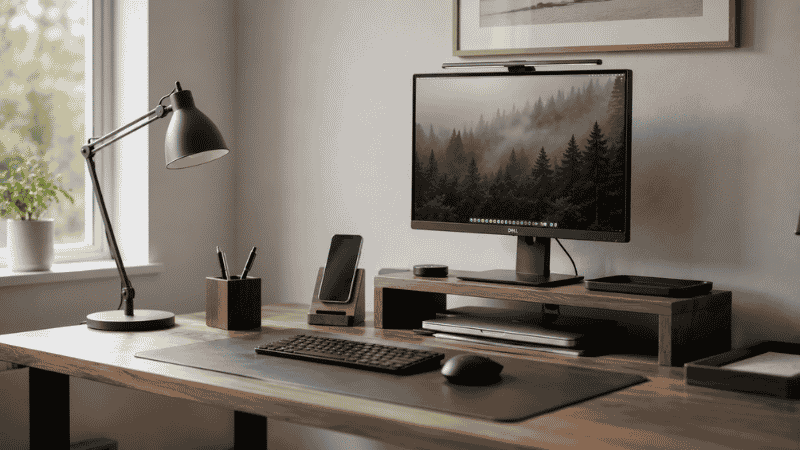
There’s a specific kind of optimism that hits when you’re setting up a new home office.
You tell yourself: this time it’s going to be organized. This time everything will have a place. You open a browser tab, you start adding things to a cart — a pen holder, a cable organizer, a small tray, a headphone stand, maybe a ring light because why not — and by the time you’re done you’ve ordered $150 worth of accessories for a desk that might genuinely only need $30 worth.
Most desk accessory guides don’t help with this problem. They list forty things you could buy and call it a day. What they don’t tell you is that half of those things will be in a drawer or a donation box within six months, and that the accessories that actually make a difference are usually the ones you buy later — after you’ve spent time at the desk and know specifically what’s frustrating you.
This guide is built around a different principle: earn your desk accessories. Identify the actual friction points first, then solve them. This results in fewer purchases, better choices, and a desk that works instead of one that just looks organized in photos.
— Daniel Shaw, 7 years working from home, one box of desk accessories I bought in year one and stopped using by year two
Key Takeaways
- The most impactful desk accessories solve specific, identified problems — not hypothetical ones
- Research on workplace organization shows that reducing visual clutter improves focus and cognitive performance, but adding decorative accessories without purpose adds to clutter rather than reducing it
- The four categories of accessories that consistently earn their place: cable management, monitor/screen positioning, input device comfort, and storage with defined categories
- Accessories that most often disappoint: novelty items, multi-function devices that do nothing particularly well, and organizational tools bought before knowing what needs to be organized
- Spending $50 on two accessories that solve real problems outperforms spending $200 on ten accessories that solve imagined ones
Must Have Desk Accessories: The Ones That Actually Earn Their Place
Before the list: the criterion. An accessory earns its place on your desk if removing it would make something about your daily work noticeably harder, slower, or more frustrating. If you’d miss it, keep it. If you wouldn’t notice it was gone, it’s not earning its place.
With that in mind, here are the categories where desk accessories consistently prove their worth:
Cable Management
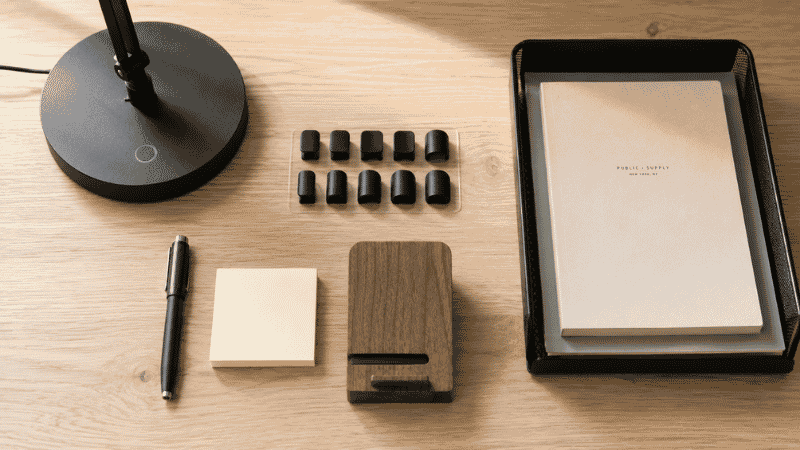
This is the single highest-impact accessory category for most home office setups, and consistently the most underrated. Visible cables — particularly a power strip on the floor with cables going in multiple directions — make a clean desk look chaotic and a chaotic desk look worse. A few adhesive cable clips, a cable sleeve for the desk-to-floor drop, and a cable management tray under the desk to hold the power strip costs under $40 total and produces a visible transformation in how the desk looks and feels.
The reason cable management earns its place permanently: unlike most accessories, it doesn’t gradually become invisible or redundant. Clean cable routing is something you notice every day. → Full guide: Desk Cable Management — How to Hide Every Wire Without Drilling.
Monitor or Screen Positioning
A monitor stand, riser, or arm that puts your screen at the correct eye level doesn’t just improve ergonomics — it changes how the desk surface feels to use. The monitor at the right height feels like it belongs on the desk. A monitor too low or too high feels slightly wrong, which creates low-level friction every time you sit down. The space under a monitor riser also provides useful storage without any additional footprint.
→ Monitor Stand Guide — why your screen is probably too low and how to fix it.
A Pen and Writing Surface You Actually Like
This sounds trivial until you notice how much time you spend reaching for a pen that writes badly, on a surface that doesn’t hold paper well. One good pen — not fifteen bad ones — and a desk mat that provides a consistent writing surface are two of the lowest-cost, highest-daily-use upgrades available. The desk mat has the added benefit of protecting the desk surface and giving the keyboard and mouse a consistent platform.
A Dedicated Phone Spot
Where does your phone live when you’re working? If the answer is “wherever I put it down,” then your phone is contributing to desk surface chaos and occasionally getting lost under other things. A simple phone stand or dock — one that holds the phone at a visible angle — gives it a permanent address on the desk, reduces time spent looking for it, and optionally charges it if you use a wireless charging model.
Lighting That Actually Works
A desk lamp with adjustable color temperature isn’t an accessory — it’s infrastructure. The difference between working in warm 3000K light (relaxing, sleepy) and cool 5000K light (alert, daylight-matched) is real and affects how you feel by mid-afternoon. For video calls, a lamp positioned in front of you eliminates the “dim basement” look that comes from working in poor light. One good lamp, positioned correctly, is worth more than any number of decorative desk accessories.
Cute Desk Accessories: Balancing Aesthetic and Function
There’s nothing wrong with wanting a workspace that looks good. The desk is where you spend a significant portion of your waking hours — it should feel like somewhere you want to be, not just somewhere you have to be.
But there’s a specific trap in the “cute desk accessories” category: buying things that look good in a flat lay photo but serve no actual function. A small succulent in a ceramic pot looks beautiful. It also takes up space, requires watering attention, and contributes nothing to how the desk works. A succulent you’d genuinely enjoy is one thing; a succulent you bought because it looked good in someone else’s setup photo is clutter with aesthetics.
The framework for cute-but-functional accessories:
- Does it replace something you already need? A beautiful pen holder replacing a cup of scattered pens — yes. A decorative tray that has no assigned purpose — probably not.
- Is it the right size for your desk? Small desks in particular can be overwhelmed by decorative items that look proportional in large desk setups but consume significant real estate in smaller ones.
- Will you still like it in six months? Trend-driven aesthetic accessories age faster than functional ones. A well-made wooden pen holder looks good indefinitely; a neon acrylic accessory set might not.
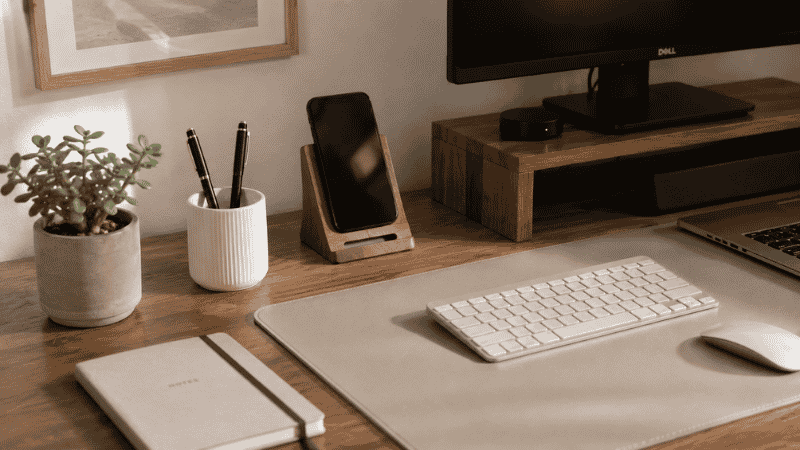
The accessories that tend to be both genuinely attractive and genuinely useful: a quality desk mat (sets the visual tone for the whole surface), a minimal pen holder with one or two good pens, a small plant if you’ll actually maintain it, and a consistent color palette across functional items (matching cable colors, consistent material finishes).
Desk Accessories for Different Work Styles
The “best” desk accessories depend significantly on how you actually work. Here’s how the priority list shifts based on work type:
For Heavy Writers and Note-Takers
A quality desk mat or writing surface, a pen that you genuinely like the feel of (not the one that came in a pack of twenty), and a notebook stand that holds your current notebook at a readable angle without requiring you to hold it. A document stand for reference materials you read while typing is also worth considering — it brings the document to eye level and reduces neck strain from looking down at papers flat on the desk.
For Video Call-Heavy Work
A ring light or positioned desk lamp for front-facing light (the single biggest improvement to how you look on calls), a headphone stand so your headset has a home between calls rather than sitting on the desk surface, and a webcam at eye level if your laptop camera is positioned at an unflattering angle. Clean background organization also matters here — whatever’s visible on camera should be intentional rather than accidental.
For Minimalist Setups
The minimalist desk accessories principle: one item per function, chosen for quality over quantity. One pen. One notebook. One organizer tray. One lamp. The visual effect of a minimal setup comes not from buying minimalist-looking products but from having fewer things on the desk total — each item needs to earn its spot individually.
The mistake most people make with minimalist desk setups is buying aesthetically minimal products and then buying too many of them. A clean desk with eight items still looks cluttered compared to a non-minimalist desk with four.
Tech Desk Accessories Worth Considering
A few tech accessories that consistently prove their value in home office setups:
- USB hub or docking station: If you’re constantly plugging and unplugging devices, a hub on the desk with all your connections in one place eliminates a significant daily friction point. Choose one with enough ports for all your regular devices plus one or two spare.
- Wireless charger: If you use a Qi-compatible phone, a wireless charging pad on the desk eliminates one cable and gives the phone a permanent charging spot. The cable stays hidden; the phone always has power.
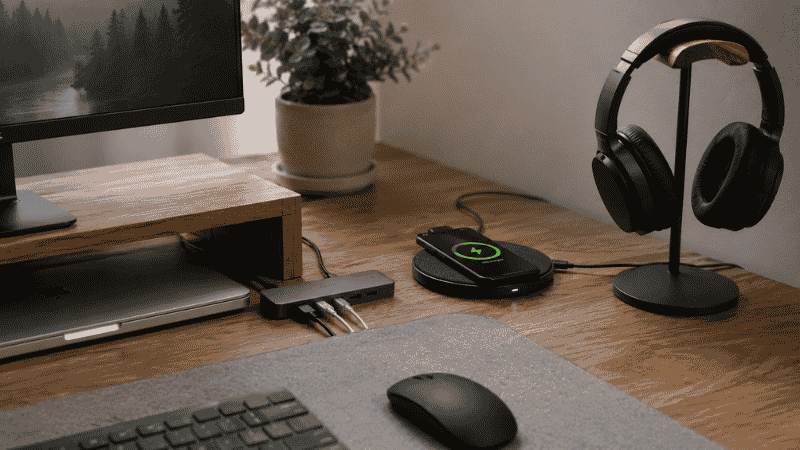
- Headphone stand: If headphones live on your desk, they need a dedicated spot. A headphone stand takes up less space than headphones lying flat, keeps them accessible, and removes them from the main working surface area.
- Desk gadgets that actually work: A simple digital timer for Pomodoro or focused work sessions is one of the cheapest and most useful desk gadgets available. A document holder for reference materials is another. Both cost under $20 and have consistent daily utility.
Desk Accessories to Skip (The Honest List)
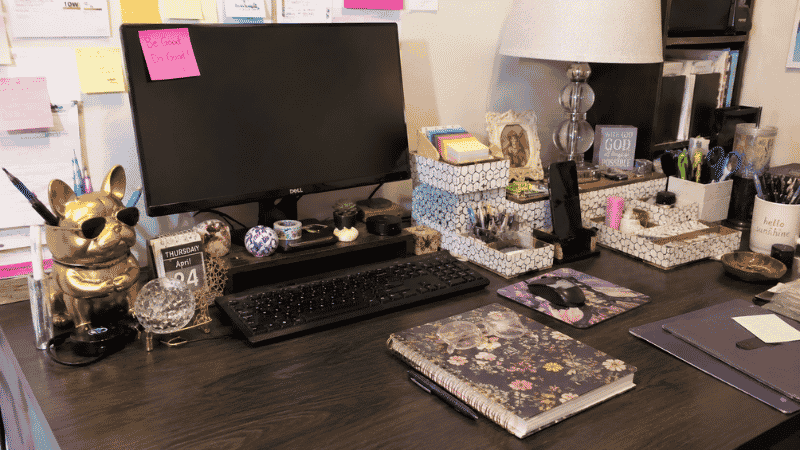
Most desk accessory guides don’t include this section. Here are the office desk accessories that sound useful and usually aren’t:
Novelty organizers in unusual shapes. The cactus pen holder. The superhero cable holder. The miniature filing cabinet that holds three things. These are gifts, not tools. They contribute visual noise without adding real function, and you stop finding them charming faster than you expect.
Desk organizer sets that include too many pieces. A set that comes with eight coordinated pieces looks appealing in the listing but creates problems on a real desk: not all eight pieces solve real problems you have, the pieces that don’t solve problems still take up desk space, and the uniformity that looks good in a photo can look sterile in daily use. Better to buy individual pieces for specific purposes.
Multi-function gadgets that do nothing well. The desk lamp with a wireless charger and a USB hub and a pen holder. The monitor stand with a drawer and wireless charging and a fan built in. These sound efficient but in practice each function is compromised by the others. A dedicated lamp works better than a lamp-charger combo. A dedicated charger works better than a charger-built-into-something-else.
Accessories that solve organizational problems you don’t have. A sticky note dispenser when you have one pad of sticky notes. A business card holder when you rarely exchange physical cards. A stapler stand when your stapler already has a permanent spot. Buy solutions to problems that exist, not solutions to problems you might someday have.
How to Choose Desk Accessories Without Buying Clutter
The system that prevents unnecessary purchases:
Step 1: Spend two weeks at your current desk and notice what’s actually frustrating you. Not what looks messy in photos — what genuinely slows you down, creates friction, or makes you feel slightly worse about being at your desk. These specific frustrations are the only things worth solving with accessories.
Step 2: Name the specific problem before buying anything. “My cables are everywhere” is specific. “I need more organization” is not. Specific problems have specific solutions. Vague problems lead to buying multiple things hoping one will work.
Step 3: Buy one thing at a time. Add it to the desk, use it for two weeks, evaluate. If it’s earning its place (you’d notice if it were gone), keep it and move to the next problem. If it’s not, return it or remove it. This approach costs more in shipping patience but dramatically reduces the amount of accessory clutter that accumulates.
Step 4: Resist the matching set impulse. A coherent-looking desk is achieved by having fewer things, not by having more things that match. Matching accessories add cost and items; removing items is free and immediate.
If You Only Have 10 Minutes and $30 to Improve Your Desk Right Now
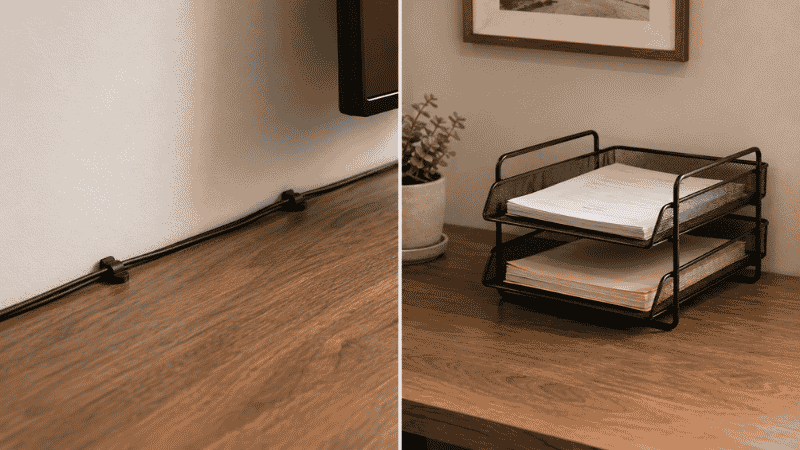
The two purchases that make the biggest difference for the lowest investment:
- A pack of adhesive cable clips ($8–$10): Route your daily-use cables along the back edge of the desk. This single change transforms how the desk surface looks and feels, costs almost nothing, and takes twenty minutes to install.
- A two-tier letter tray ($15–$20): If paper is your biggest clutter problem, one tray with a simple in/out rule removes the pile faster than any other single intervention.
These won’t solve everything, but they address the two most common sources of desk chaos in most home office setups. Start here, then add targeted solutions for whatever remains.
Frequently Asked Questions
What desk accessories are actually worth buying?
The accessories with the most consistent daily value: cable management tools (clips, sleeve, under-desk tray), a monitor riser or stand, a good desk mat, a phone stand, and a desk lamp with adjustable color temperature. These address the most common home office friction points. Beyond these, the “worth buying” question depends on your specific work style and the specific problems you’re experiencing — a writer needs different accessories than someone primarily on video calls.
What are the must have desk accessories for a home office?
The minimum effective set: something to manage your cables (even just a few clips along the desk edge), your monitor at the right height, and a single dedicated spot for your most-used daily items (pen, phone, notebook). Everything beyond this is optional and should be purchased in response to specific problems rather than general “organization” goals.
Are desk accessories sets worth buying?
Rarely. Sets include multiple coordinated items, but your desk probably only needs two or three of them — the others take up space without solving problems. The visual appeal of a matching set often leads to keeping pieces that aren’t earning their place. Individual purchases targeted at specific needs almost always outperform sets in practice, even if they look less cohesive.
What desk accessories do women tend to prefer vs men?
The search distinction exists mainly in marketing, not in what actually works. The functional accessories that make a desk better — cable management, monitor positioning, writing tools, lighting — are effective regardless of who’s using them. Aesthetic preferences vary by individual, not by gender. Buy accessories that solve your specific problems and fit your visual preferences; ignore the gender segmentation in most product marketing.
How many accessories should be on a desk?
As few as solve your actual problems. Most productive home office desks have 5 to 10 items on the surface — monitor, keyboard, mouse, a pen or two, a notebook, a phone, a lamp. Everything beyond this competes for visual attention and desk real estate. If your desk has more than 15 items on it, the first step isn’t buying more accessories — it’s removing things and seeing what actually gets missed.
The Desk That Works vs. The Desk That Looks Organized
There’s a version of desk accessories that’s about performance and a version that’s about appearance. The best setups manage to be both — but when forced to choose, performance wins. A desk covered in beautiful but useless accessories is still a frustrating workspace. A desk with three functional items that each solve real problems is a desk you actually want to sit at.
The accessories that earn permanent spots on a desk are almost always the ones bought second or third — after you’ve spent enough time working to know exactly what’s slowing you down. Buy those. Skip the rest.
More from WorkDeskLab:
- How to Set Up a Home Office That Actually Works
- Desk Organization Ideas That Actually Stick
- Desk Cable Management — Hide Every Wire Without Drilling
- Monitor Stand — Why Your Screen Is Too Low and How to Fix It
- Keyboard Tray — Do You Actually Need One?
References: Princeton University Neuroscience Institute — “Interactions of Top-Down and Bottom-Up Mechanisms in Human Visual Cortex,” Journal of Neuroscience, 2011 · Journal of Environmental Psychology — “Tidiness and the perception of environmental order as predictors of wellbeing and productivity in office settings” (2019)