
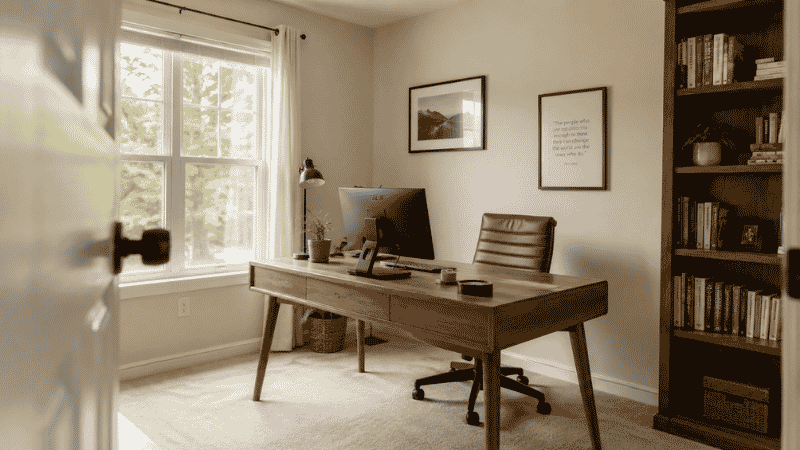
Most people set up their home office the same way: put the desk where it fits, point it at whatever wall is available, and move on.
It works. Sort of. Until you notice that you’re getting distracted more than you expected. Or that you’re tired by 2pm in a way that doesn’t quite match how much you’ve done. Or that video calls always have a weird backlight problem. Or that you spend the first ten minutes of every morning rearranging things before you can actually start working.
None of these feel like layout problems. They feel like focus problems, energy problems, discipline problems. But in most cases, the room is working against you — and a few deliberate decisions about where things go would quietly fix most of it.
This is a guide about home office layout: not which furniture to buy, not which color to paint the walls, but where to put things and why it matters. The principles here apply whether you have a dedicated room, a bedroom corner, or a desk in a shared living space. The room size changes. The logic doesn’t.
— Daniel Shaw, 7 years working from home across three different room configurations
Key Takeaways
- Desk position relative to light sources is the single highest-impact layout decision — natural light from the side reduces eye strain and fatigue by up to 51% compared to overhead fluorescent lighting (Journal of Environmental Psychology)
- Facing a wall while working reduces visual distraction compared to facing into a room — but facing a door gives a psychological sense of control that reduces background anxiety
- The “command position” principle — desk facing the entrance with a solid wall behind — is supported by both ergonomic research and environmental psychology
- Small home office layouts benefit most from vertical storage and a single clear sightline, not from trying to fit everything in
- Cable and clutter management is a layout issue as much as an organization issue — how you route cables affects where your desk can go
Why Home Office Layout Matters More Than Most People Think
There’s a version of this that sounds abstract — “your environment affects your productivity” — and a version that’s very concrete. The concrete version: if your desk faces a window, you’ll spend hours squinting at glare on your screen. If it faces into a busy room, you’ll look up every time something moves. If it’s positioned so your back is to the door, you’ll get a mild but persistent sense of unease every time you hear a sound behind you.
None of these things feel catastrophic. But they add up across eight hours, five days a week, month after month. The research on this is fairly clear. A study published in the Journal of Environmental Psychology found that workers in spaces with access to natural light reported significantly better sleep quality, more physical activity, and higher overall wellbeing than those in windowless offices. The layout of a space — not just its contents — shapes how people feel and perform in it.
The good news: most home office layout problems are fixable with existing furniture, no renovations required. It’s usually a matter of rotation, repositioning, and a few deliberate decisions about what goes where.
Home Office Desk Placement: The Decision That Shapes Everything Else
Where you put the desk determines almost everything else about the layout — where the light falls, what you’re looking at, where cables need to run, how storage gets arranged. Get this right first, and the rest of the layout mostly follows.
The Light Rule: Side Light Is the Goal
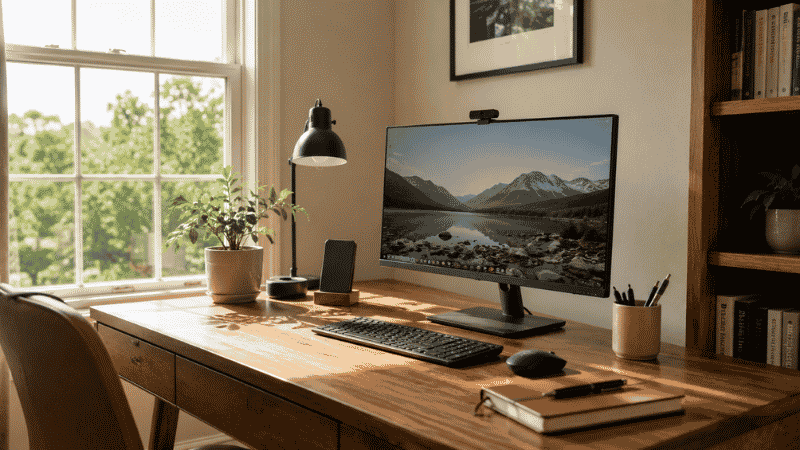
Natural light is the best light for focused work — but its position relative to your screen matters enormously. The goal is light coming from the side (left or right of your monitor), not from behind the screen and not from directly behind you.
Light behind the screen creates glare that forces your eyes to work harder all day. Light directly behind you reflects off the screen and into your eyes — same problem, different direction. Light from the side illuminates your workspace without hitting the screen, which is the ideal working condition.
In practice: if you have a window in the room, position your desk so the window is to your left or right when you’re seated. If that’s not possible, a simple blackout blind gives you control over when and how much light enters — better than fighting it all day.
The Door Rule: Face the Entrance When You Can
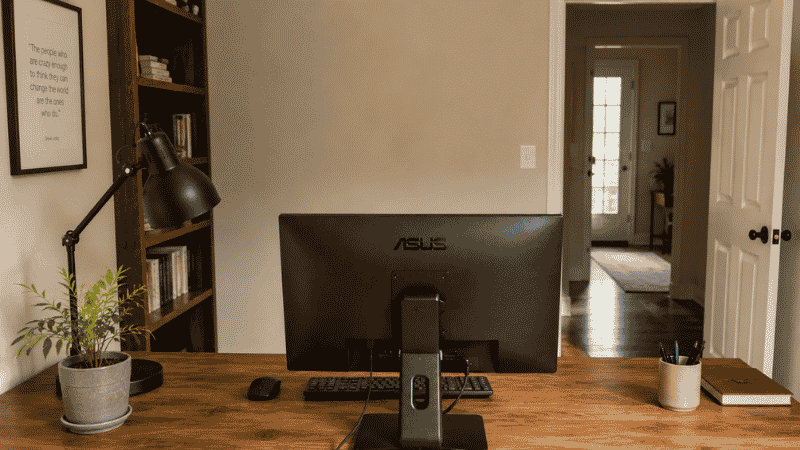
This comes from both ergonomics and environmental psychology. Sitting with your back to the door creates a low-level but persistent alertness — your brain is monitoring an unseen space behind you, which is cognitively taxing even when nothing is happening. Facing the door removes that background load.
Feng shui calls this the “command position.” Productivity research calls it reducing ambient cognitive load. Either way, the practical effect is real: people who face the entrance of their workspace tend to feel more settled and in control, which translates directly to sustained focus.
If facing the door means facing a window with glare, prioritize the light rule. Glare is more immediately disruptive than the door position.
The Wall Rule: What’s Behind You Matters
Whatever is behind you appears in every video call you take. A solid wall — clean, neutral, uncluttered — is the professional default. A window behind you creates a backlight that makes your face dark on camera. A busy bookshelf or cluttered surface is visually distracting for everyone on the call.
If your only option puts a window behind you, a simple blackout blind during calls, or repositioning a lamp to front-light your face, solves the problem effectively.
Home Office Layout Ideas by Room Type
The principles above apply everywhere. The specific arrangement depends on what you’re working with.
Dedicated Room Layout
A room to yourself gives you full control — and with that comes the temptation to over-furnish. The most productive dedicated home office layouts are usually simpler than people expect.
Start with the desk positioned according to the light and door rules above. Then add storage on the wall opposite or adjacent to the desk — not behind the monitor where it competes for visual attention, and not in front of you where it becomes a distraction. A bookcase or shelving unit to the side of the desk keeps reference materials accessible without cluttering your sightline.
If the room has a door you can close, use it as a psychological boundary — open means available, closed means focused work. This simple convention reduces interruptions more reliably than any noise-canceling headphone.
Small Home Office Layout
Small spaces reward deliberate decisions more than large ones. In a small home office layout, every square foot has to justify itself — which actually makes the design process cleaner, not harder.
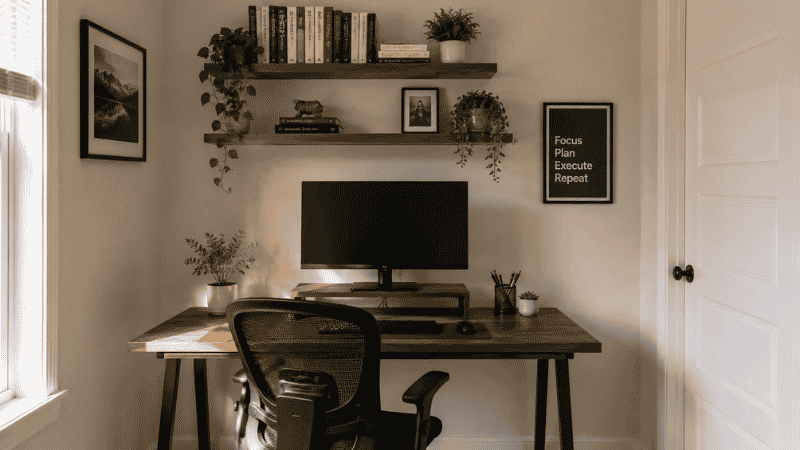
The highest-impact move for small spaces: go vertical immediately. Wall-mounted shelves above the desk take storage off the floor and off the desk surface without reducing the room’s usable footprint. A monitor riser with storage underneath reclaims the space below the screen. A pegboard beside the desk turns a vertical surface into organized storage for frequently-used items.
In a small room, desk orientation matters even more than in a large one. Facing a wall (rather than into the room) makes a small space feel more contained and purposeful — less like a corner that got a desk added to it, more like a workspace. It also keeps your sightline short and focused, which reduces visual distraction.
One thing to avoid in small spaces: the L-shaped desk. It sounds like a space-efficient solution but usually consumes more room than it returns in usable workspace. A single well-sized desk — 48 to 55 inches — almost always outperforms an L-shape in rooms under 10 feet wide.
Shared Space Layout (No Dedicated Room)
This is where most home office arrangement decisions get made — in a corner of a bedroom, in a living room alcove, in a space that serves multiple purposes throughout the day.
The core challenge: your brain needs to shift into work mode when you sit down, and out of it when you leave. A space that looks identical when you’re working and when you’re relaxing makes that transition harder. The layout should create a clear visual distinction between the work zone and the rest of the room.
Practical ways to do this without renovating:
- Face the desk toward a wall rather than into the living space — this creates a psychological boundary even without a physical one
- Use consistent lighting — a desk lamp that’s only on during work hours signals “work mode” more powerfully than it might seem
- Keep the desk surface clear when not in use — a cleared desk in a shared space reads as “off” in a way that a covered one doesn’t
- If the desk is in a bedroom, position it so it’s not visible from the bed — research on sleep hygiene consistently shows that visual reminders of work in the sleep environment disrupt rest
How to Arrange Home Office Furniture: Beyond the Desk
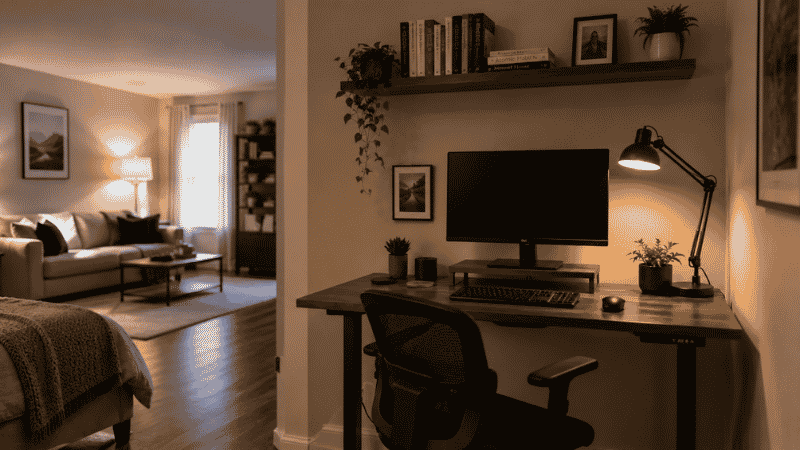
Once the desk position is settled, the remaining furniture arranges itself around one question: does this support the work, or does it compete with it?
Storage should be within reach but out of your direct sightline. A filing cabinet or bookshelf to the side or behind you is accessible without being visually present while you work. Storage directly in front of you — across the desk — becomes part of your visual field for every hour of focused work.
Seating for visitors or calls (if you have them) should be positioned so visitors face you and see a clean wall or background, not the back of your monitor setup or a cluttered surface.
Printers and peripheral equipment belong on a surface within standing reach — not on the desk itself, and not so far away that getting to them interrupts your workflow. A small credenza or side table at arm’s length from the desk handles this cleanly.
Plants and personal items work best at the periphery of your visual field — to the side, not directly in front. They add warmth without competing for attention when you’re trying to focus.
Home Office Floor Plan: Thinking Through the Space Before You Move Things
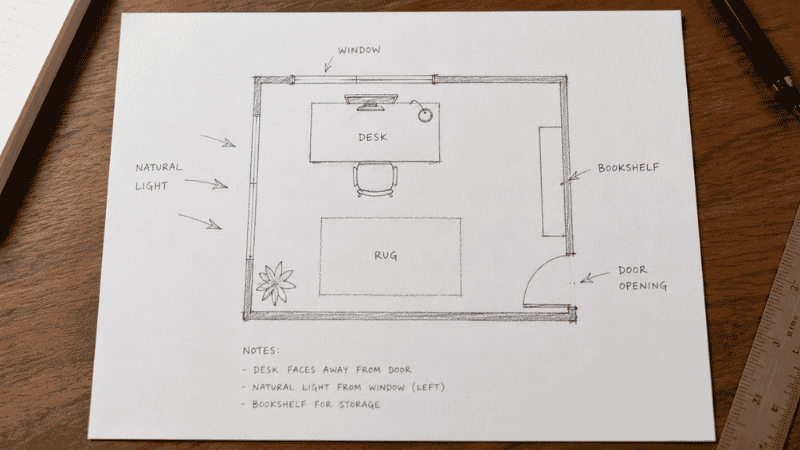
Before physically rearranging anything, sketch the room. It doesn’t need to be precise — a rough rectangle with the door and window positions marked is enough. Then mark the following:
- Where natural light comes from and at what times of day
- Where the door is and which direction it opens
- Where electrical outlets are (this constrains desk position more than most people account for)
- Where the internet router or ethernet drop is, if that’s relevant to your setup
Outlet and cable positions are the most common layout constraint that people don’t account for until they’ve already moved the furniture. A desk positioned perfectly for light and door orientation, but 12 feet from the nearest outlet, creates a cable management problem that’s difficult to solve cleanly. Check this before moving anything heavy.
→ For cable routing once your layout is set: Desk Cable Management Guide.
What to Do If Your Layout Isn’t Working But You Can’t Change Much
Sometimes the constraints are real — a landlord who won’t allow wall mounting, a room where the outlet positions dictate the desk location, a shared space where other people’s needs limit the options.
In these situations, the highest-impact micro-adjustments:
- Rotate the chair angle rather than the desk — even a 15-degree rotation can change what you’re facing and reduce distraction without moving any furniture
- Add a screen privacy filter if your desk faces into a room and you can’t reposition it — it narrows your visual field and reduces peripheral distraction
- Control the light with blinds or lamps even if you can’t control the desk position — a lamp that front-lights your face solves the backlight problem on calls without moving anything
- Create a visual anchor behind your monitor — a small plant, a clean shelf, something intentional — to give your eyes a focused resting point during thinking pauses rather than wandering to a cluttered or busy background
Frequently Asked Questions
Where should I put my desk in a home office?
Position your desk so natural light comes from the side — not directly behind the screen or behind you. Face the door if possible, with a solid wall behind you. Avoid placing the desk so your back is to the room’s main entry point. If these requirements conflict, prioritize the light position first — glare on a screen is more immediately disruptive than the door position.
Should a home office desk face the wall or the room?
Both work, for different reasons. Facing a wall keeps your sightline short and focused — good for deep work with minimal distraction. Facing into the room gives you visibility of the space behind you, which reduces the background alertness that comes from not being able to see what’s behind you. If you’re in a shared space, facing the wall creates a clearer psychological separation between work zone and living zone. If you’re in a dedicated room, either works well.
Is it better to have a home office with a window?
Yes, but position matters as much as presence. A window to the side of your desk is ideal — natural light without glare. A window directly behind your monitor creates constant glare. A window behind you creates backlight on video calls. If the room has a window, make its position a primary factor in desk placement. If the room has no window, front-facing supplemental lighting (a lamp positioned in front of you, not overhead) compensates effectively.
How do I set up a home office in a small room?
Go vertical first — wall shelves above the desk, a monitor riser with storage below, pegboards for frequently used items. Face the desk toward a wall to make the space feel purposeful rather than cramped. Choose a single desk of adequate size (48 inches minimum) rather than an L-shape, which usually consumes more room than it returns. Keep the floor clear — open floor space makes a small room feel larger and work better.
What is the best home office layout for productivity?
The layout that minimizes ambient distraction while maximizing access to what you need. Practically: desk positioned for side natural light, facing the door or toward a wall (not into a busy room), storage within reach but outside the primary visual field, cable management that keeps cords off the surface and floor, and a clear zone directly in front of the monitor that stays uncluttered during work hours. The specific furniture matters less than these positional decisions.
How do I layout a home office in a shared space?
Face the desk toward a wall rather than into the living area to create a psychological work boundary. Use consistent desk lighting only during work hours — the lamp becoming a “work mode” signal. Keep the desk surface clear when not in use. If the desk is in a bedroom, position it so it’s not visible from the bed. These conventions make the same physical space function differently for work and rest without requiring any structural changes.
The Layout Is the Foundation
Everything else in a home office — the organization, the cable management, the storage system, the gear — works better when the layout is right. A well-positioned desk in a thoughtfully arranged room makes focus easier, calls look more professional, fatigue accumulates more slowly, and the end-of-day transition out of work mode happens more cleanly.
None of it requires renovation or significant expense. Most of it requires an afternoon, a rough sketch of the room, and the willingness to move the desk twice before finding the right spot.
Start with the desk position. Let the rest follow.
More from WorkDeskLab:
- How to Set Up a Home Office That Actually Works
- Desk Organization Ideas That Actually Stick
- Desk Cable Management — Hide Every Wire Without Drilling
References: Journal of Environmental Psychology — “Impact of Workplace Daylight Exposure on Sleep, Physical Activity, and Quality of Life” (2014) · Cornell University Human Factors and Ergonomics Research — Workstation placement and cognitive performance guidelines (ergo.human.cornell.edu)