
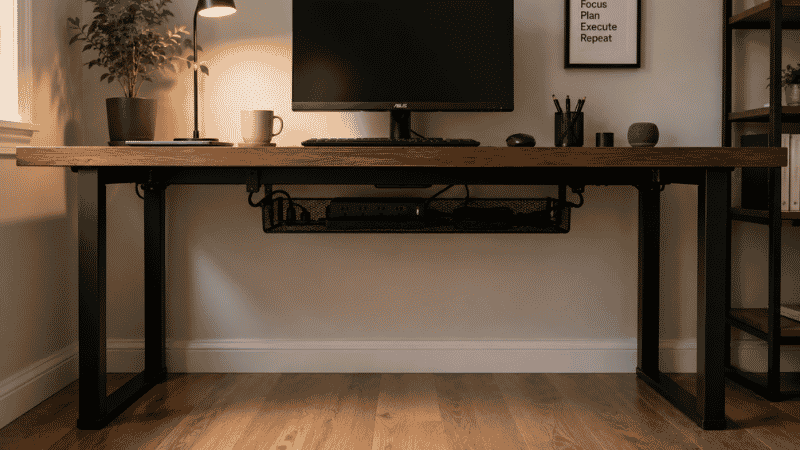
Here’s a thought experiment. Look under your desk right now.
If you’re like most people, what you see is some version of the following: a tangle of cables, a power strip sitting on the floor, maybe a bag you threw under there last week, possibly a box that’s been there so long you’ve stopped registering it as something you should deal with. That space — roughly 20 to 30 cubic feet of real estate directly beneath your working surface — is almost entirely unused.
Meanwhile, the top of your desk has too much on it. The papers have nowhere to go. The drawer is overstuffed. You bought a second monitor and now there’s nowhere to put the notebook. The desk is out of space, and the floor under it is holding a power strip and some dust.
This is the most common and most fixable problem in home office organization. The space exists. The need exists. The connection between the two just hasn’t been made yet.
This guide is about making that connection — not with expensive furniture purchases, but with a clear understanding of what belongs under your desk, what solutions actually work in real daily use, and how to set it up without drilling a single hole.
— Daniel Shaw, 7 years working from home, three desk setups, one very overcrowded desk surface before I finally looked down
Key Takeaways
- The average desk has 20–30 cubic feet of under-desk space — most of it completely unused in home office setups
- Moving the power strip and cable tray under the desk is the single highest-impact under desk storage move for most people
- Under desk drawers, shelves, and filing cabinets can be installed without drilling — clamp and adhesive options work well for most desk types
- Rolling storage units offer the most flexibility, especially for shared spaces or setups that change frequently
- The biggest under desk storage mistake is treating the space as overflow — it works best when it holds specific, assigned categories of items
Why Under Desk Storage Gets Ignored (And Why That’s a Problem)
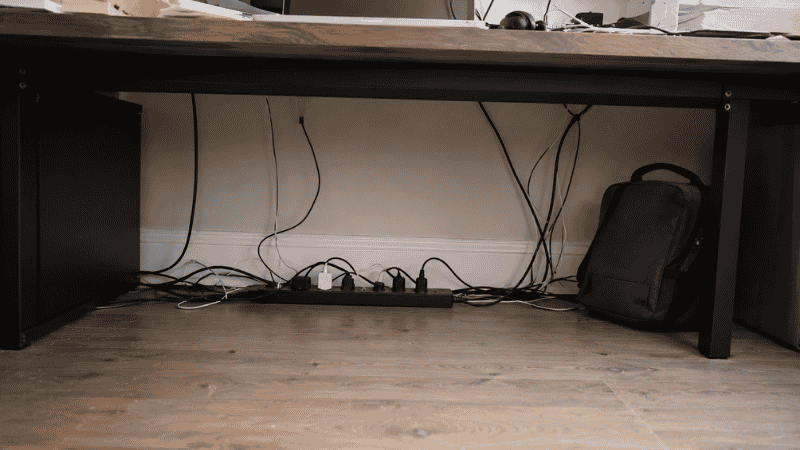
There’s a reason most people don’t think about the space under their desk: it’s out of sight. You sit down, you look at your monitor, and everything below the desk surface disappears from your awareness. The mess up top is visible and uncomfortable. The mess underneath is invisible and therefore not urgent.
But the two are directly connected. A cluttered desk surface is almost always a symptom of under-used storage capacity — there’s nowhere for things to go, so they stay on top. Add real, organized under desk storage, and the surface clears naturally because items finally have somewhere logical to live.
The other reason it gets ignored: people assume under desk storage means buying new furniture. A pedestal cabinet, a credenza, a full filing system. These are options, but they’re not the starting point. There are solutions that cost under $30, install in minutes, and make an immediate difference — and those are where most home offices should begin.
Under Desk Drawer: The Most Useful Addition for Most Desks
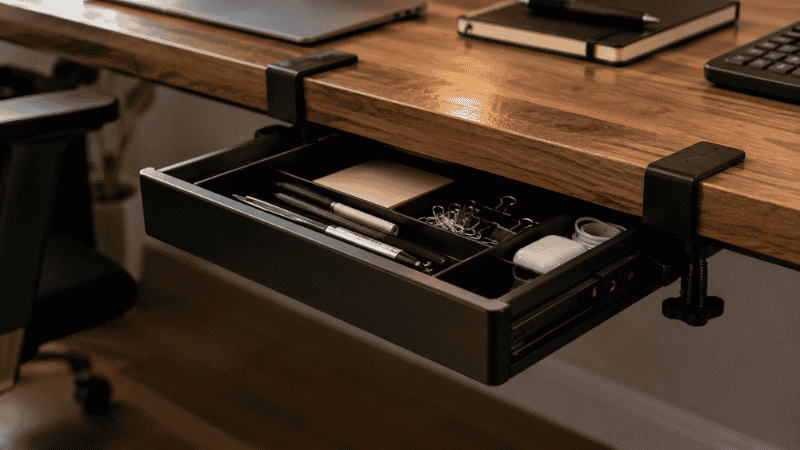
If your desk doesn’t have a built-in drawer — and a lot of affordable home office desks don’t — this is the single most impactful under desk storage solution available.
An under desk drawer mounts to the underside of your desk and slides out when you need it. It sounds simple because it is. But the effect on a desk without drawers is transformative: suddenly there’s somewhere for the pens, the paper clips, the USB drives, the sticky notes, the small things that otherwise scatter across the surface or disappear into a pile.
Two types to know about:
Adhesive Mount Under Desk Drawers
These attach to the underside of the desk with industrial adhesive tape — no screws, no drilling, no permanent marks. They work well on smooth, solid desk surfaces and can hold light to medium loads (pens, stationery, small accessories). The tradeoff: the adhesive has a weight limit, and on textured or laminate-coated surfaces it may not bond as securely. Always clean the mounting surface with isopropyl alcohol before installation and wait 24 hours before loading the drawer.
Best for: renters, lightweight items, desks where drilling isn’t an option.
Clamp Mount Under Desk Drawers
These clamp to the desk edge rather than the underside — no adhesive, no drilling, and typically stronger hold. They can handle heavier loads and are repositionable, which matters if you ever rearrange your setup. The clamp mechanism does add a small amount of visual bulk at the desk edge, but most are low-profile enough to be invisible from normal viewing angles.
Best for: most home office situations. More reliable than adhesive for anything heavier than stationery.
One thing to measure before buying: the clearance between the underside of your desk and the floor. Most under desk drawers need at least 4–6 inches of vertical clearance to mount and open fully. Check this before ordering.
Under Desk Shelf: When You Need Accessible Surface Space Below
An under desk shelf is different from a drawer — instead of enclosed storage, it’s an open platform that mounts beneath the desk and provides an accessible surface for items you want reachable but off the main desk top.
The most common use case: a laptop that you occasionally need but don’t use as your main display. A secondary keyboard. A printer that gets used a few times a week. Items that are too large for a drawer but too frequently needed to live on the floor or in a cabinet across the room.
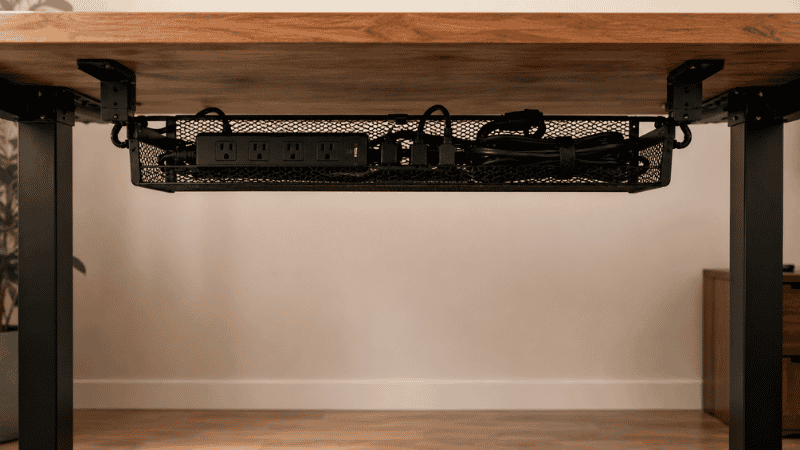
Under desk shelves also work well as a mounting point for a power strip — which is, frankly, where every power strip should live. A power strip mounted under the desk on a shelf or tray takes the cable bulk completely off the floor and routes it cleanly to where it’s needed. Combined with cable clips along the desk edge, this makes the floor under your desk genuinely clear — which makes the whole space feel dramatically more organized even if the desk surface itself hasn’t changed. → How to route cables cleanly once the power strip is mounted.
Under Desk Cabinet and Filing Cabinet: For Paper and Larger Items
If you work with physical files — invoices, contracts, client documents, reference materials — an under desk filing cabinet is one of the most efficient uses of the space below your desk.
Under Desk Filing Cabinet
These are the classic pedestal cabinets that sit on the floor beside or under the desk, typically with two or three drawers. They’re solid, they hold a lot, and a well-organized filing system in one of these means paper never needs to live on the desk surface for more than a day or two.
What to look for: a model with smooth-rolling casters so it can be pulled out when you need access and pushed back under the desk when you don’t. Locking drawers if you keep anything sensitive. Standard letter-size compatibility for hanging file folders, which are still the most efficient way to organize paper documents.
Under Desk Cabinet (Non-filing)
For storage that isn’t paper — supplies, equipment, bags, personal items — a small cabinet or two-drawer unit under the desk keeps bulkier items contained and out of sight without taking up floor space elsewhere in the room. These work best when they’re on casters, which lets you access the back of the unit without moving the desk.
Under Desk Organizer: For Cables, Power Strips, and Small Items
The term “under desk organizer” covers a range of products, but the most useful in a home office context are cable management trays — the mesh or fabric baskets that clamp under the desk and hold power strips, adapters, and cable bulk completely off the floor.
This is worth emphasizing because it’s the step most people skip: the power strip should not be on the floor. A floor-level power strip with cables radiating in multiple directions is visually chaotic, a dust accumulator, and occasionally a trip hazard. Moving it under the desk — in a clamp-mount tray — costs about $20-30, takes 15 minutes, and produces one of the most noticeable visual improvements possible in a home office without touching anything on the desk surface.
The under desk cable tray also works alongside a proper cable management setup — once the power strip is elevated and contained, routing individual cables becomes much cleaner because they all originate from one organized location rather than a floor-level tangle.
Rolling Desk Storage: The Most Flexible Option
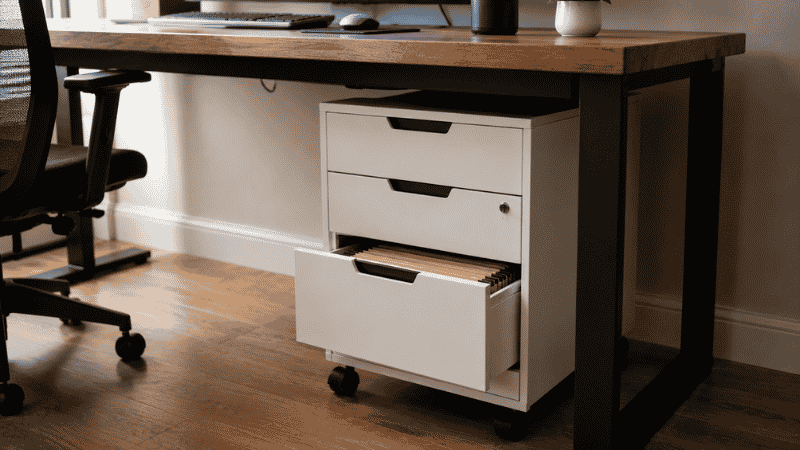
For setups that change frequently — shared spaces, hybrid workers who rearrange often, anyone who isn’t sure yet what they need — a rolling storage unit is the most adaptable under desk storage solution.
Rolling storage (sometimes called a rolling pedestal or mobile filing cabinet) sits on wheels under the desk and can be pulled out, repositioned, or moved to a different room entirely as needed. It doesn’t attach to the desk at all, which means zero installation and zero commitment to a specific configuration.
The practical advantage over fixed solutions: you can pull it out when you need something, push it back when you don’t, and move it to wherever it’s most useful on a given day. For people who work from multiple surfaces or share a workspace, this flexibility is worth more than the slightly larger footprint.
What to look for: smooth-rolling casters that lock (so it stays put when you don’t want it moving), a top surface useful as an additional work surface when pulled out, and drawer depth that fits your actual needs — shallow drawers for stationery, deeper drawers for files and larger items.
How to Plan Your Under Desk Storage (Before You Buy Anything)
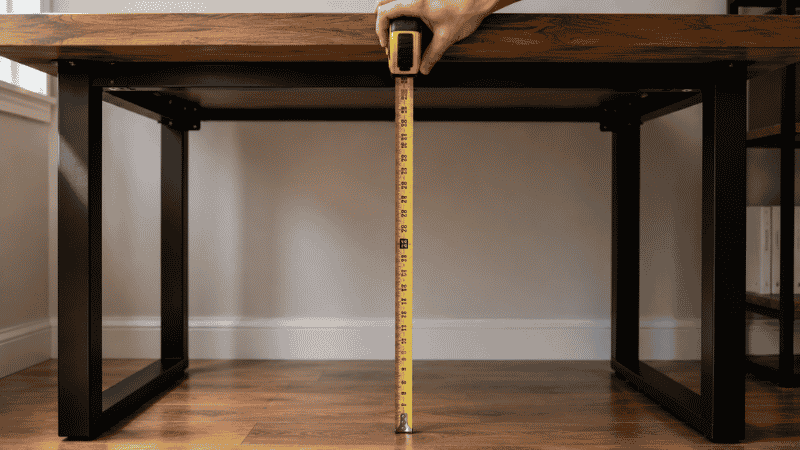
The most common under desk storage mistake is buying solutions before auditing the problem. Someone decides they need “more storage,” buys a filing cabinet, installs it under the desk, and then realizes it’s in exactly the wrong spot — blocking their leg room, or positioned so they can’t open it without moving the chair, or just holding things they don’t actually need under the desk at all.
Spend ten minutes on this before ordering anything:
- Measure the clearance. Height from floor to desk underside. Width available. Depth from front to back. These numbers determine what will physically fit.
- Identify what you’re moving under the desk. Be specific: “the power strip and all its cables,” “the hanging files I need weekly,” “my backup keyboard.” Vague intentions produce vague solutions.
- Check for conflicts. Where are your legs when you’re seated? Where do your feet go? Any under desk storage that competes with your natural seated position will get kicked, moved, or ignored within a week.
- Decide: drilling or no drilling. If you’re a renter or prefer reversible solutions, stick to clamp-mount and adhesive options. If you own your furniture and want the most secure installation, screw-mount options are more reliable for heavier loads.
The space under your desk should feel like an extension of your organization system — not a dumping ground with a cable tray added to it. What you put there should have a defined purpose and a defined location, just like anything else on the desk.
If You Only Have 10 Minutes Right Now
You don’t need to buy anything to start. The single most impactful 10-minute under desk improvement:
- Pull everything out from under your desk. Everything — bags, boxes, the forgotten items, all of it.
- Put the power strip on top of a small book or box to elevate it off the floor — even two inches of clearance changes how the space looks and functions.
- Bundle all floor-level cables with a single velcro tie and route them to one side. Not cable management — just consolidation. One bundle instead of scattered individual cables.
- Don’t put anything back under the desk unless it has a specific reason to be there.
That’s the foundation. The rest — the drawers, the shelves, the filing system — adds to a foundation that’s already cleaner than it was.
Frequently Asked Questions
What is the best under desk storage for a home office?
It depends on what you’re storing. For cables and the power strip: a clamp-mount cable management tray under the desk is the highest-impact, lowest-cost solution. For stationery and small items: a clamp-mount or adhesive under desk drawer. For physical files: a rolling filing cabinet that fits your clearance dimensions. For flexibility across all needs: a rolling pedestal with multiple drawers. Most home offices benefit from a cable tray plus a drawer — that combination costs under $60 and solves the two most common under-desk storage problems.
How do I add storage under my desk without drilling?
Clamp-mount solutions attach to the desk edge using adjustable clamps — no holes, no adhesive, removable whenever you want. These work for cable trays, drawers, and some shelf systems. Adhesive-mount drawers attach to the underside with industrial tape — stronger than it sounds when installed correctly on a clean surface, but with a lower weight limit than clamp options. Rolling storage sits on the floor and requires no attachment to the desk at all. All three approaches are renter-friendly and leave no permanent marks.
What should I store under my desk?
The under desk space works best for items that are used regularly but don’t need to live on the desk surface — cables and power management equipment, filing and document storage, backup supplies and stationery, bags and personal items during the workday, and equipment used occasionally but not constantly (backup keyboards, external drives, headphones when not in use). It’s not a good long-term home for things you never use — those belong in actual storage elsewhere, not in prime real estate directly below your working position.
How much clearance do I need for under desk storage?
Most under desk drawers need 4–6 inches of vertical clearance to mount and open. Filing cabinets on casters typically need the full desk height clearance to roll under. Cable trays are the most space-efficient — typically 3–4 inches deep — and work in tight clearance situations where other solutions won’t fit. Always measure from floor to desk underside before ordering, and check that your measurement accounts for the desk frame or cross-support if there is one.
Can I use under desk storage with a standing desk?
Yes, but with one important consideration: anything attached to the desk itself (clamp-mount drawers, adhesive trays) will move with the desk when it adjusts height. This is usually fine for drawers and organizers. For cable management, you need enough cable slack to accommodate the full range of desk motion — typically 18–24 inches of extra length in the cable bundle. Rolling storage on the floor stays stationary as the desk moves, which means it can’t block the desk’s lowest position.
The Space Is Already There
Under desk storage doesn’t require renovation, significant spending, or a weekend project. It requires a measurement, a clear idea of what you’re solving for, and one or two targeted solutions that match the actual problem.
The space under your desk is already there. It’s already part of your workspace. The question is whether it’s working for you or just accumulating cables and forgotten items.
Most setups need three things: a cable tray to elevate the power strip, a drawer for small daily-use items, and a decision to not put anything else down there without a specific reason. That’s it. The desk surface clears, the floor clears, and the under-desk zone becomes functional rather than invisible.
More from WorkDeskLab:
- Desk Organization Ideas That Actually Stick
- Desk Cable Management — Hide Every Wire Without Drilling
- How to Set Up a Home Office That Actually Works
- Home Office Layout — How to Arrange Your Workspace for Focus
References: American Journal of Industrial Medicine — Ergonomic guidelines for seated workstation design and under-desk clearance (AJIM) · Cornell University Human Factors and Ergonomics Research — Lower limb clearance and workstation configuration standards (ergo.human.cornell.edu)