
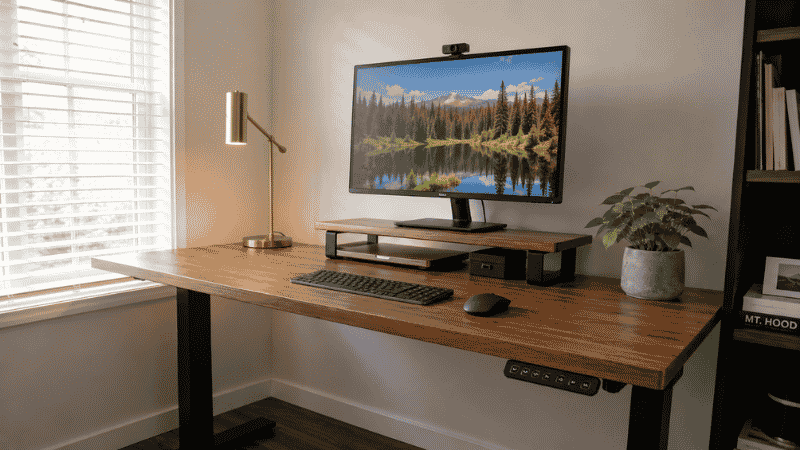
Most home office ideas guides are basically photo albums with captions.
Beautiful setups, immaculate desks, natural light streaming through windows that definitely face the right direction. They’re inspiring for about four minutes, and then you close the tab and look at your actual desk — the one in the bedroom corner, or the dining room, or the spare room that also holds a treadmill and three boxes you haven’t opened since the move — and the gap between inspiration and reality feels a bit discouraging.
The thing is, the photos aren’t the problem. The problem is that most home office idea guides stop at the image. They don’t tell you how the person actually got the cables off the floor, how they solved the lighting without a window in the right spot, how they made a 48-inch desk feel organized rather than cramped. The idea is there. The execution is left to you.
This guide works differently. Every idea here links to a full guide on that specific topic — so if something resonates, you can go deeper immediately rather than trying to figure it out from a photo alone.
— Daniel Shaw, 7 years working from home across setups that ranged from genuinely good to genuinely embarrassing
Key Takeaways
- A functional home office doesn’t require a dedicated room — the setup decisions matter more than the square footage
- The three highest-impact changes in most home offices: correct monitor height, cable management, and a dedicated organizational system for the desk surface
- Research from the Journal of Environmental Psychology confirms that visual clutter reduces cognitive performance — organization isn’t aesthetic preference, it’s productivity infrastructure
- A complete functional home office setup can be built for under $500 — the priorities matter more than the budget
- The difference between a home office that works and one that doesn’t is usually one decision: where to put the desk
Home Office Ideas: Start With the Right Foundation
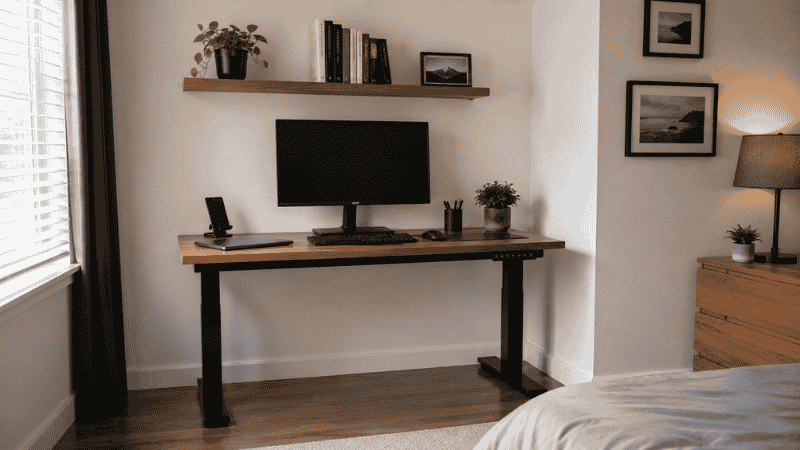
Before anything else — before the desk mat, the monitor arm, the cable organizer — there’s one decision that shapes everything else: where the desk goes and how it faces.
Most people put the desk where it fits. Wherever there’s a wall and enough floor space, that’s where the desk goes. This results in a setup that works physically but often fails functionally — the desk is in the wrong light, facing the wrong direction, creating the wrong relationship between work space and living space.
The desk position determines: where natural light falls (you want it from the side, not behind the screen), whether you can see the room entrance (which affects your sense of control and background anxiety while working), and whether the workspace feels psychologically distinct from the rest of the room (which affects your ability to mentally “arrive” at work in the morning and “leave” at the end of the day).
Spending thirty minutes on this decision — moving the desk to different positions, sitting in each for a few minutes — will do more for your home office than any accessory purchase. → Full guide: Home Office Layout — How to Arrange Your Workspace for Focus.
Small Home Office Ideas: When Space Is the Constraint
The most common home office situation isn’t a dedicated room. It’s a corner of something — a bedroom, a living room, a hallway alcove — where a desk has been placed and a workspace has been declared.
Small spaces reward deliberate decisions more than large ones. Every item that goes on the desk surface needs to earn its place; every piece of furniture that enters the space needs to justify its footprint. The good news is that this constraint produces better setups than abundance — people with unlimited space fill it with things they don’t need and then wonder why the office feels chaotic.
A few small home office ideas that consistently work:
Face the wall, not the room. When your desk is against a wall and you face into it rather than into the living space, two things happen: you stop being distracted by room activity, and the workspace feels more contained and purposeful. It sounds like a small thing. It changes how the space feels every single day.
Go vertical immediately. A floating shelf above the desk at the right height (22 to 24 inches of clearance) doubles your storage without adding any desk footprint. A monitor riser with storage underneath reclaims space below the screen. Pegboards turn a vertical wall surface into organized storage for frequently-used items. → Desk Hutch and Shelf Guide — how to add storage above your desk without making it feel smaller.
Consider a wall-mounted desk if floor space is truly limited. A floating desk with no legs frees the entire floor beneath it, which makes a small room feel significantly larger even when the desk surface itself takes up the same wall width as a standard desk. → Floating Desk Guide — which type works for your space.
The small office rule: the desk surface should have a permanent spot for every daily-use item, and those spots should be easy enough to return things to that you do it automatically. A system that requires effort to maintain will collapse within two weeks. → Desk Organization Ideas — systems that actually hold up.
Modern Home Office Ideas: Clean Lines Without the Complexity
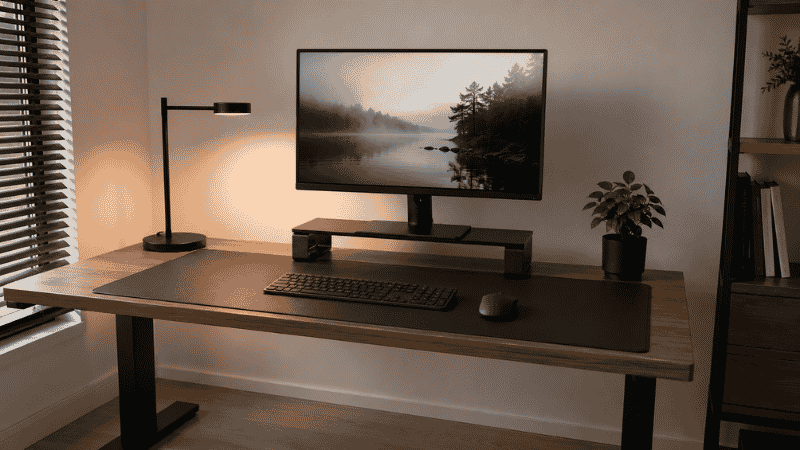
The modern home office aesthetic — minimal surfaces, clean lines, nothing visible that doesn’t need to be there — is genuinely achievable in a home setting. But most people misunderstand what creates it.
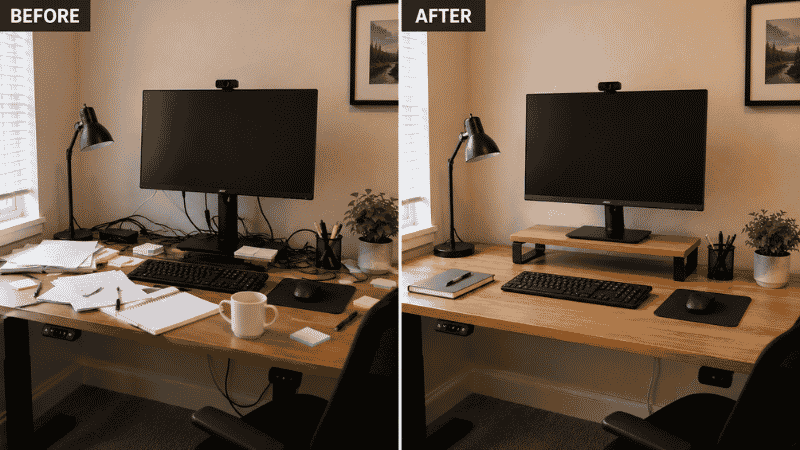
It’s not the furniture. It’s the absence of cable chaos, the monitor at the right height, and the desk surface cleared of everything that doesn’t belong there.
The three changes that create a modern home office look more reliably than any furniture purchase:
Cable management. Visible cables are the fastest way to make a clean desk look messy. Routing cables along the back edge with clips, bundling the desk-to-floor drop in a sleeve, and elevating the power strip into an under-desk tray makes the space look dramatically cleaner without moving a single piece of furniture. → Desk Cable Management Guide — no drilling required. → Cable Tray Guide — how to choose and install one.
Monitor at eye level. A monitor sitting flat on the desk surface creates a visual low point that makes the setup look unbalanced and cramped. Raising it to proper eye level with a monitor stand or riser changes the entire composition of the desk — and eliminates the neck strain that comes from looking down all day. → Monitor Stand Guide — why your screen is probably too low.
One desk mat. A single mat that covers the main working surface unifies keyboard, mouse, and desk area into one intentional surface instead of a patchwork of individual pads and bare desk. The visual effect is immediate. → Desk Mat Guide — size, material, and whether you actually need one.
Home Office Decor Ideas: Making It Feel Like Yours
There’s a version of workspace decoration that’s purely aesthetic — plants that will die, candles that create fire hazards, objects chosen for photos rather than daily function — and a version that actually changes how you feel sitting in the space every day.
The useful version of home office decor isn’t about having more things. It’s about having intentional things that earn their place.
Home Office Color Ideas
The color of your walls and desk surface affects your alertness and mood more than most people expect. Cool, light colors (pale blues, greens, and greys) tend to support focus and reduce fatigue. Warm, dark colors create a cozier atmosphere but can feel heavier during long work sessions. If you can’t paint, a large desk mat, a textured wall panel behind the monitor, or even a well-chosen print can introduce color without permanent commitment.
The one color principle worth following: whatever is directly behind your monitor (visible on every video call, in your visual field during focused work) should be calm and neutral rather than busy or distracting.
Cozy Home Office Ideas
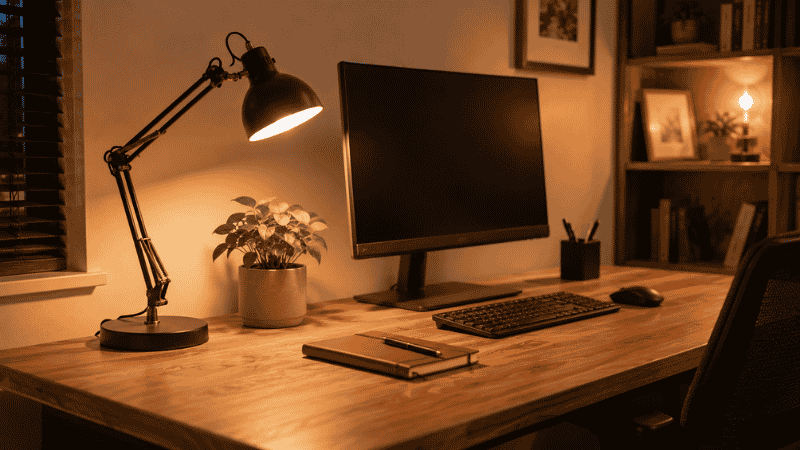
Cozy and functional aren’t opposites — a workspace that feels comfortable to be in is one you’ll actually want to work in, which affects everything from how early you start to how late you stay. The elements that create cozy without creating clutter: warm lighting from a lamp rather than overhead fluorescents, a rug under the desk if the floor is hard, one or two personal items that genuinely make you happy to look at, and good chair cushioning.
Notice: all of these are about comfort and sensory experience, not decoration. The plants and framed prints are nice additions after the functional elements are right; they don’t substitute for them.
Home Office Ideas for Men (and Anyone Who Prefers Minimal Decoration)
The “home office for men” search exists primarily because a lot of home office content skews heavily toward florals and feminine aesthetics that don’t match everyone’s preference. The practical translation: a minimal, functional setup with clean lines, dark or neutral colors, and nothing decorative that doesn’t also serve a purpose.
This is actually the easiest home office aesthetic to execute — and the one most aligned with what research shows actually supports focus. Fewer visual elements, consistent quality materials, one good lamp, no clutter. The accessories earn their place through function: a quality desk mat, a monitor at the right height, cables off the desk surface, a good chair. → Desk Accessories Guide — what’s worth buying and what isn’t.
Home Office Ideas on a Budget: The Priority Order
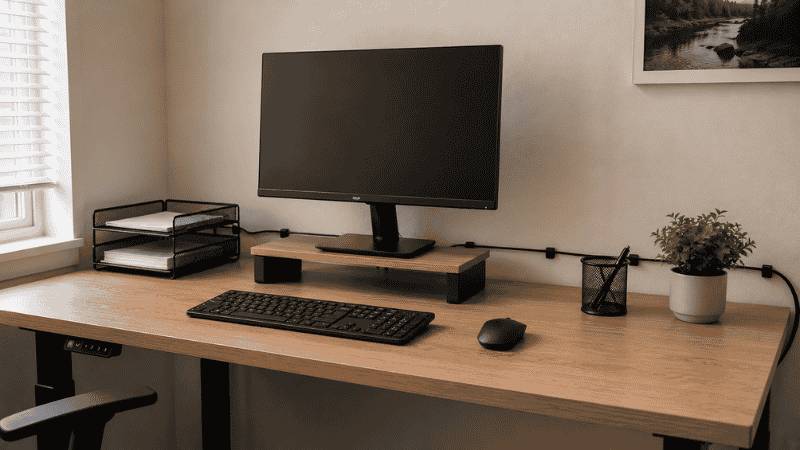
The most common home office mistake on a budget: spending money on visible things (a nice desk lamp, an aesthetic organizer set) before solving invisible things (the power strip on the floor, the monitor at the wrong height, the cable chaos).
The invisible things affect how the space functions every day. The visible things affect how it looks in photos. For a workspace you use eight hours a day, function comes first.
The budget priority order:
- Chair ($150–$280). Your body is in this for eight hours. Don’t compromise here first.
- Desk position and lighting (free). Move the desk, find the right light. Costs nothing.
- Cable management ($25–$40). Cable clips, a sleeve, and a cable tray transform how the space looks and feels.
- Monitor height ($25–$60). A monitor riser or stand is one of the highest-return purchases in a home office.
- Desk organization ($30–$50). A letter tray, a drawer organizer, a pen holder. Three items with a defined system.
Total investment for a functional, organized home office: under $400 if you already have a desk and chair. Everything beyond this — the standing desk, the premium accessories, the aesthetic upgrades — is refinement, not foundation.
→ Office Supplies List — what you actually need and what’s just taking up drawer space.
→ Under Desk Storage — how to use the space most people ignore.
Home Office Ideas by Specific Problem
Most people don’t need a complete home office overhaul. They have one or two specific things that are frustrating them. Here’s the targeted solution for each:
Cables everywhere → Desk Cable Management Guide + Cable Tray Guide
Neck pain or screen too low → Monitor Stand Guide
Wrist or forearm fatigue from typing → Keyboard Tray Guide
Desk always cluttered → Desk Organization Ideas
No storage under or around the desk → Under Desk Storage Guide
No space for a full desk → Floating Desk Guide
Need storage above the desk → Desk Hutch and Shelf Guide
Desk feels slippery or looks unfinished → Desk Mat Guide
Not sure where to start → How to Set Up a Home Office — the complete starting guide
If You Only Have 10 Minutes Right Now
The single highest-impact change you can make in ten minutes with no purchases:
Move your monitor. If it’s sitting flat on the desk surface, stack two large books under it and sit in your normal working position. Is the top of the screen near your eye level? Does your neck feel less strained? If yes — a monitor riser will give you that permanently, and the space under it becomes usable storage.
If you only do one thing today, make it that. The rest is refinement.
Frequently Asked Questions
What are the best home office ideas for small spaces?
Face the desk toward a wall rather than into the room. Use vertical storage — a floating shelf above the desk, a monitor riser with storage underneath. Consider a wall-mounted floating desk if floor space is truly limited. Keep the desk surface clear using a simple zone system (active zone directly in front, reference and storage zones to the sides). The principle for small spaces: every item needs to earn its footprint.
How do I make my home office look professional on video calls?
Three things: a light source in front of your face (a desk lamp positioned facing you, not overhead and not behind you), a neutral background visible on camera (ideally a plain wall or a tidy bookshelf), and your camera at eye level (not angled up at you from a laptop on the desk). These three changes transform video call appearance more than any expensive backdrop or ring light.
What home office ideas work for a shared space?
Face the desk toward a wall to create a psychological work zone. Use consistent desk lighting that signals “work mode” when it’s on and “home mode” when it’s off. Keep the desk surface completely clear when not working — a cleared desk in a shared space reads as “off” in a way a covered one doesn’t. If possible, position the desk so it’s not visible from the bed or main seating area.
How do I set up a home office on a budget?
Prioritize in order: chair comfort first, then desk position and lighting (free), then cable management ($25–$40), then monitor height ($25–$60), then desk organization ($30–$50). Total for a functional setup from scratch: under $400. Spend money on things that affect daily function before things that affect daily appearance.
What’s the most important home office upgrade?
It depends on what’s currently frustrating you most. If your neck hurts, it’s monitor height. If the desk is always messy, it’s the organization system. If cables are everywhere, it’s cable management. If you can’t focus, it’s desk position and lighting. There’s no universal most-important upgrade — identify your specific friction point and solve that first.
Your Home Office Should Work for You
The best home office isn’t the most beautiful one. It’s the one where you can sit down in the morning and immediately focus, where you know where everything is, where the end of the workday has a clear boundary, and where the setup feels like it was designed for how you actually work — not for how someone else works in a photo.
Start with the basics. Get the desk position right. Manage the cables. Raise the monitor. Organize the surface. Everything else — the aesthetic upgrades, the premium accessories, the smart gadgets — adds value only after these foundations are working.
Every idea in this guide links to a full guide on that specific topic. Pick the one that matches your current biggest frustration, and start there.
Explore the full WorkDeskLab guides:
- How to Set Up a Home Office That Actually Works
- Home Office Layout — Arrange Your Workspace for Focus
- Desk Organization Ideas That Actually Stick
- Desk Cable Management — Hide Every Wire Without Drilling
- Cable Tray Guide — Under Desk Wire Management
- Monitor Stand — Why Your Screen Is Too Low
- Keyboard Tray — Do You Actually Need One?
- Desk Mat — Size, Material, and Whether You Need One
- Under Desk Storage — Reclaim the Space You’re Wasting
- Desk Hutch and Shelf — Storage Above Your Desk
- Floating Desk — Which Space-Saving Desk Is Right for You
- Desk Accessories — What’s Worth Buying
- Office Supplies List — What You Actually Need
References: Journal of Environmental Psychology — “Workspace organization and cognitive performance in home office environments” (2019) · Princeton University Neuroscience Institute — “Interactions of Top-Down and Bottom-Up Mechanisms in Human Visual Cortex,” Journal of Neuroscience, 2011